
How it works
Three steps, and most of them aren't yours.
From the photo you snap to the posts that land, here's exactly what Wallflower does and what's left for you (hint: a tap).
Try it free for 7 days.
Step 1 · Capture
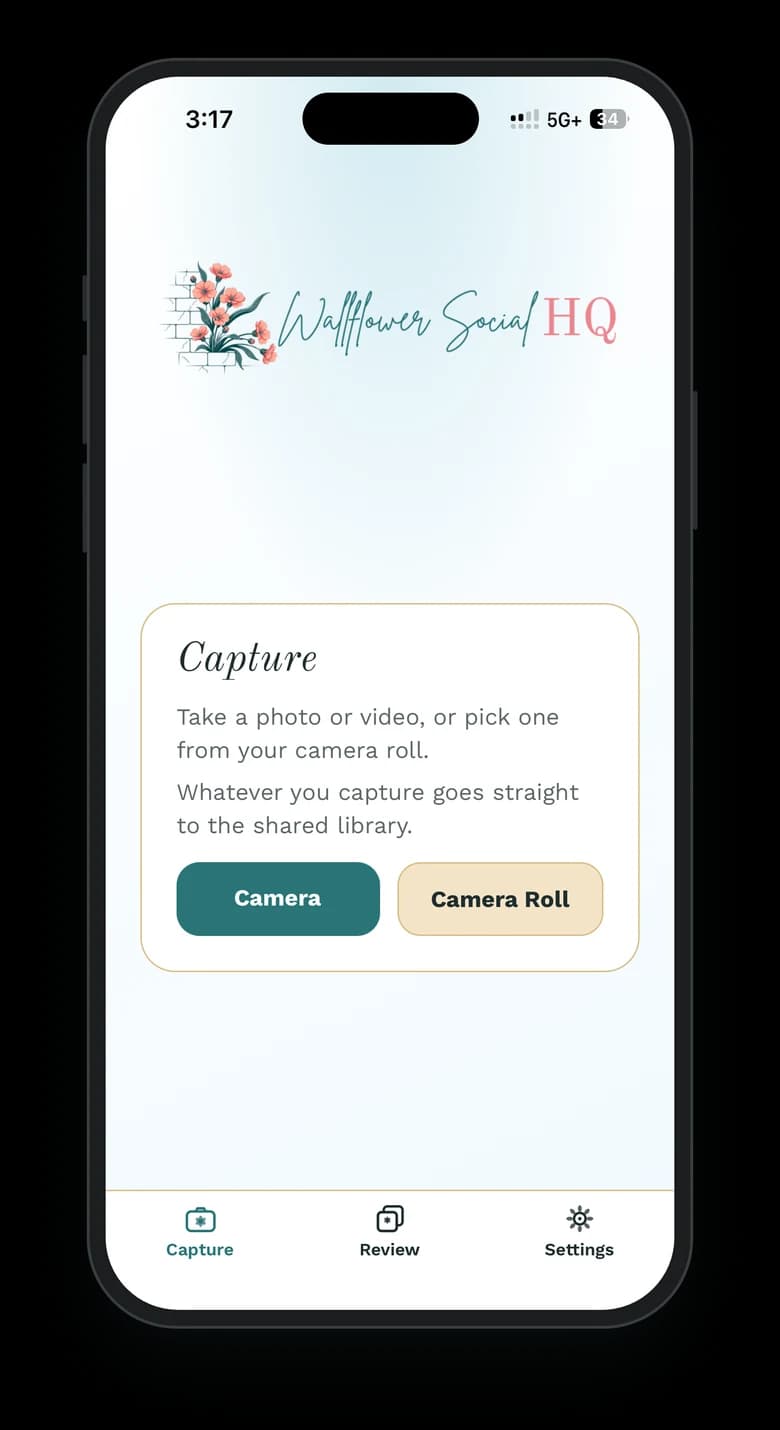
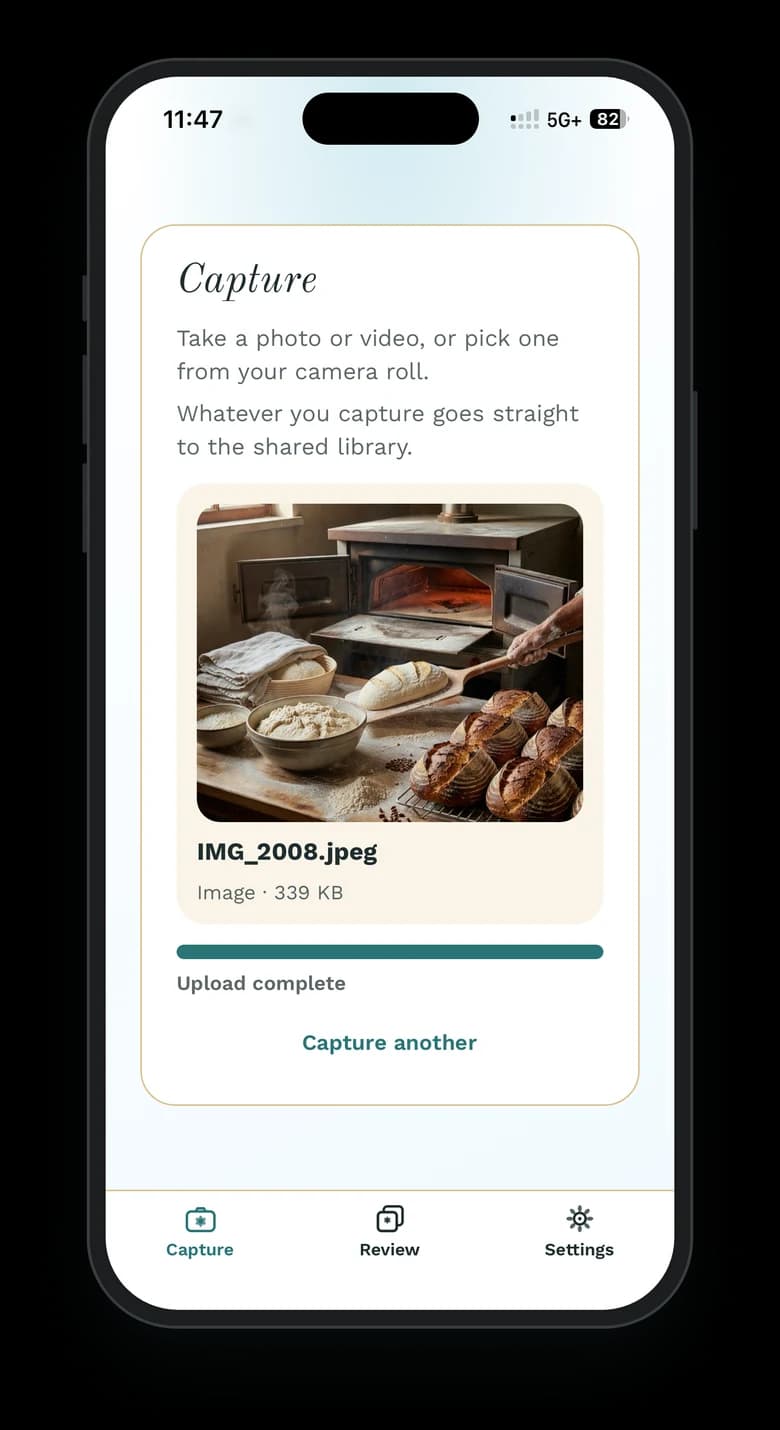
Capture
Snap it. Anyone can.
Hand the companion app to your team, your partner, even a regular who loves the place. Anyone can snap a photo through the day, and every shot lands straight in your workspace, ready for “fill my week.”
- Unlimited companion users on every plan
- Companion users don't take up a seat
- No exports, no group texts, no files to chase
- Photos up to 50 MB, videos up to 100 MB
Step 2 · We make the week
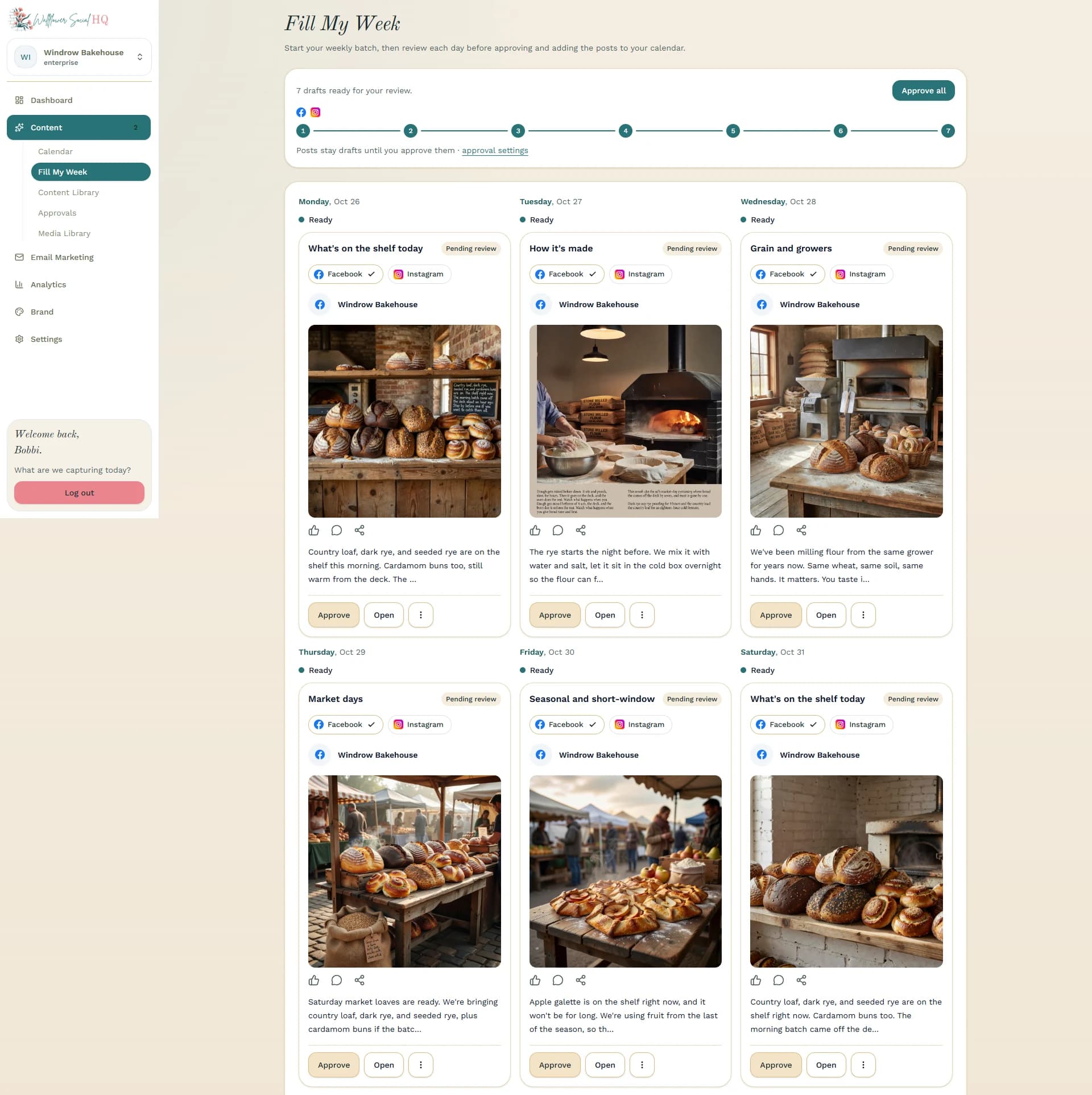
Fill my week
We make the week.
Your photos become posts, captions, and a schedule, shaped to your brand and ready to go.
- Captions and formatting for each channel
- Brand voice so it sounds like you
- Short on photos? Made-for-you images fill the gap: 10/mo on Solo, 50/mo on Pro, and 50/mo in each Enterprise workspace
- Out of photos today? Draft something on brand from a quick prompt
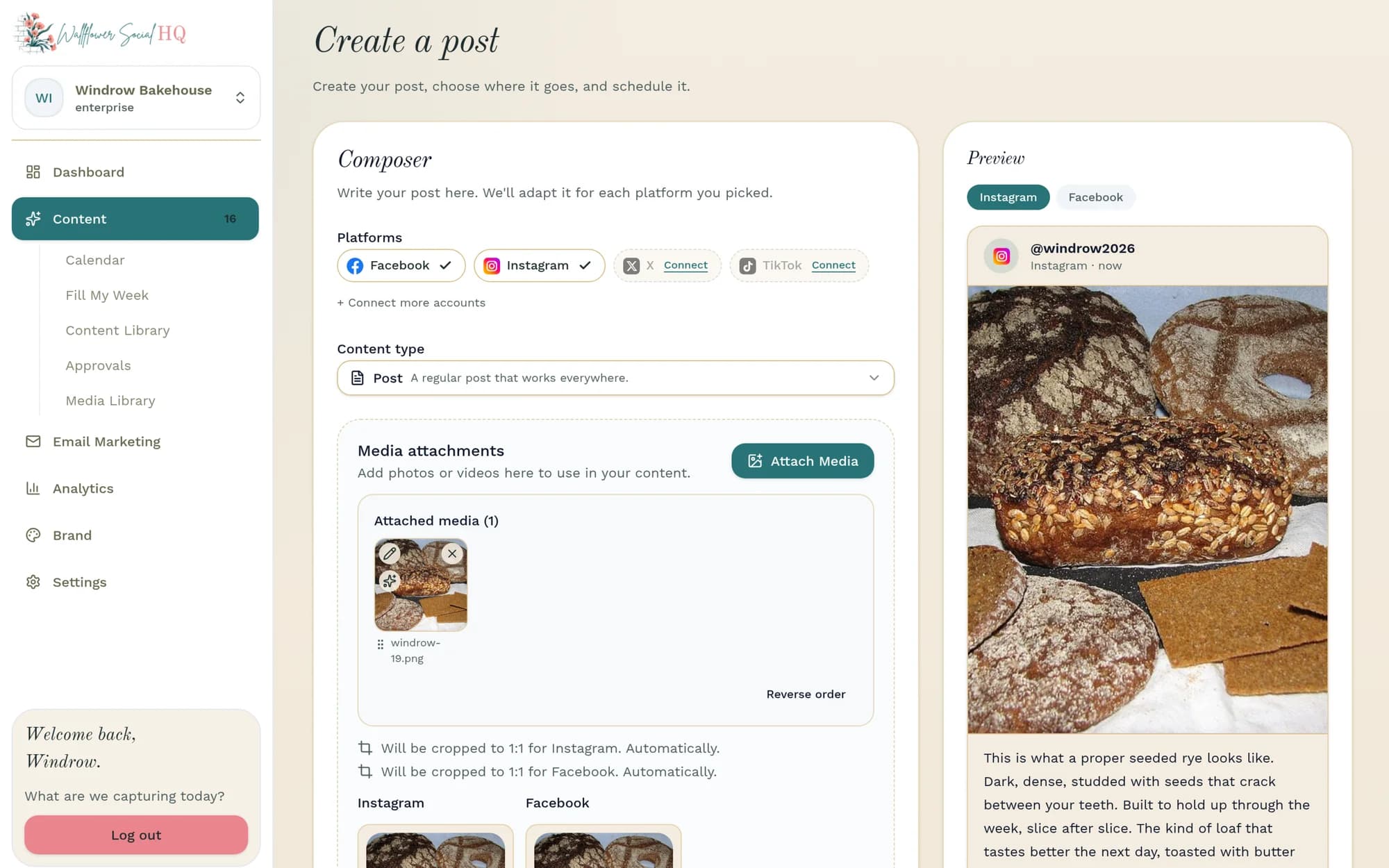
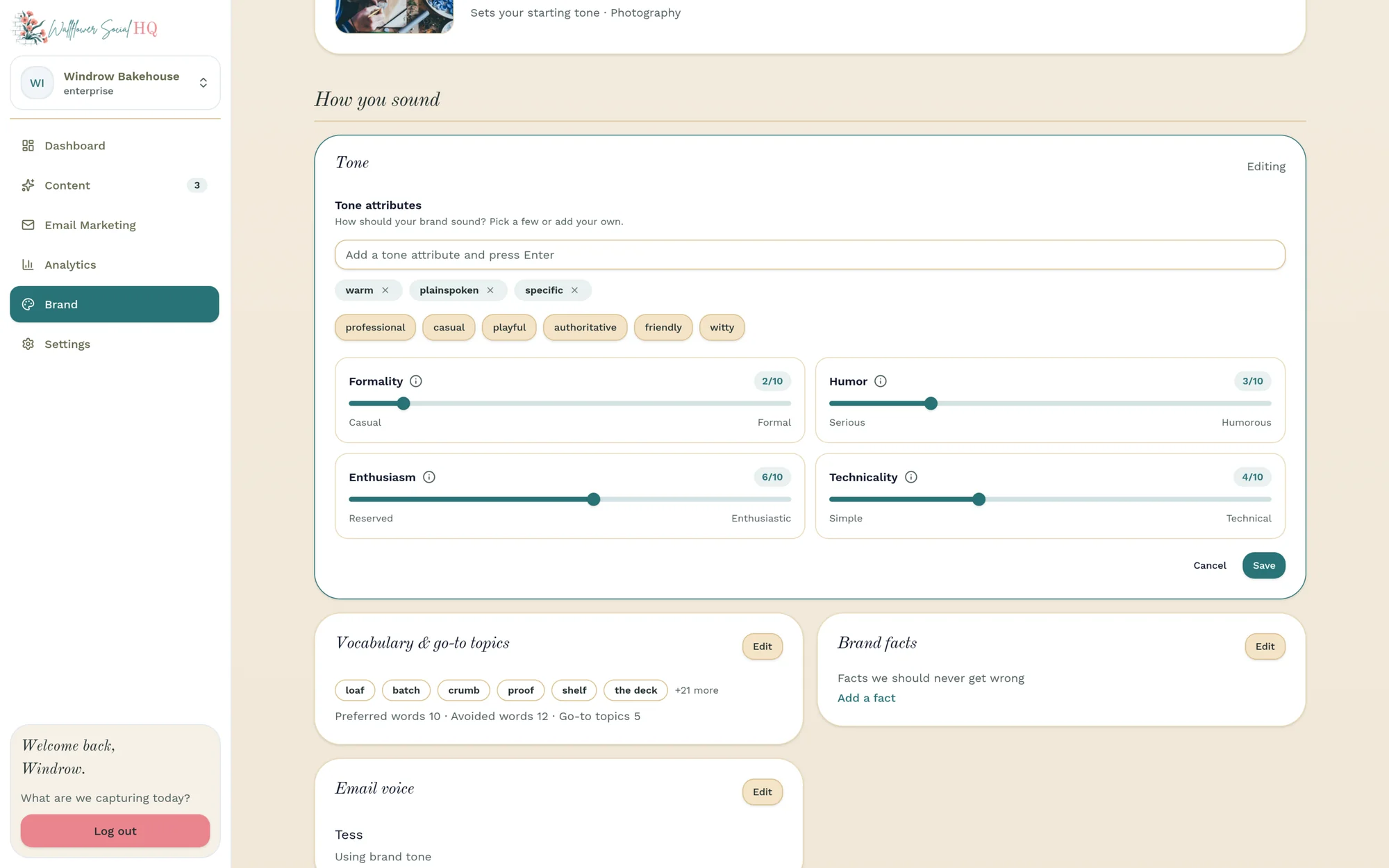
Sounds like you
Set your brand voice once; every draft follows it.
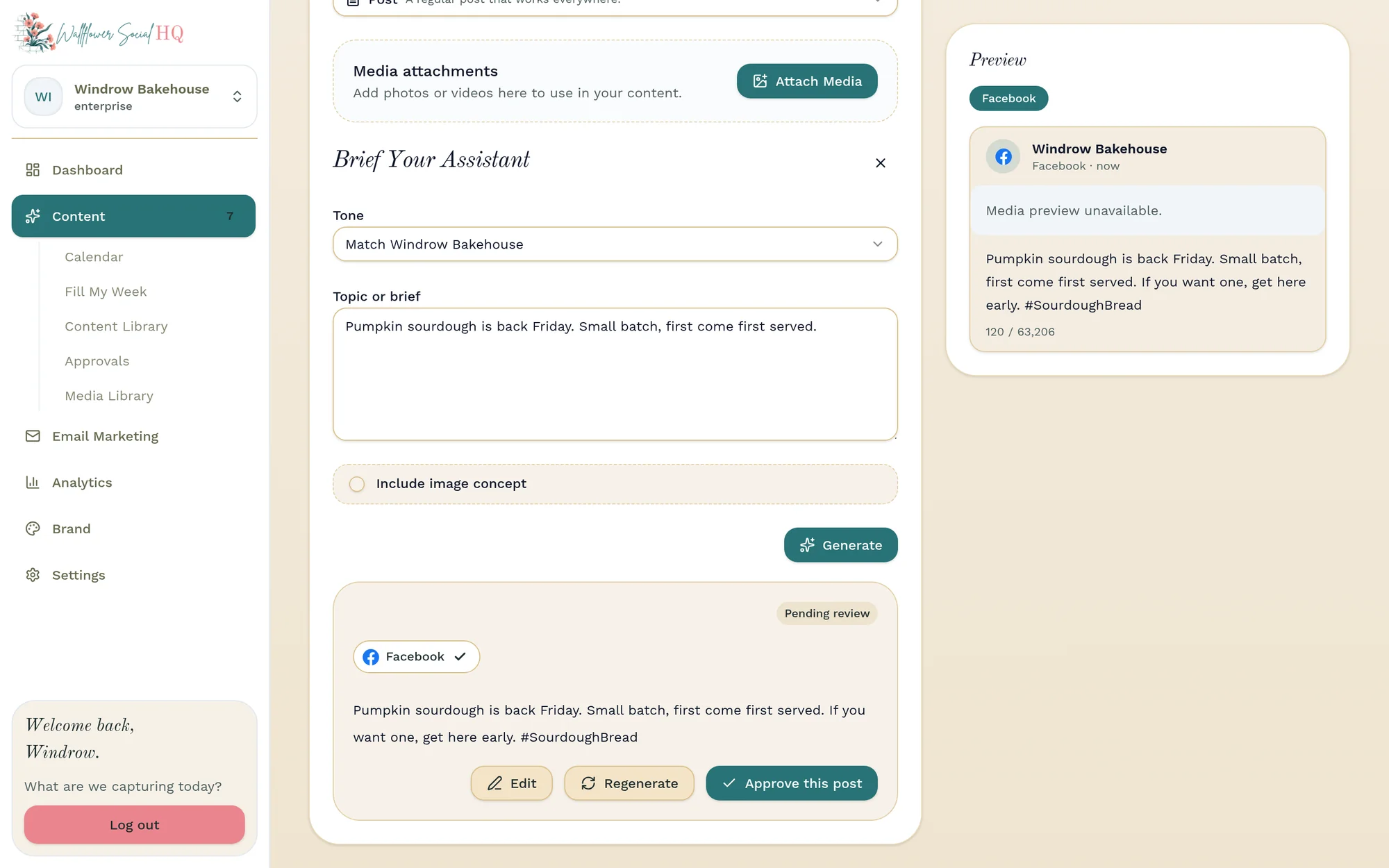
Never a blank screen
Out of photos today? We can still draft something on brand from a quick prompt.
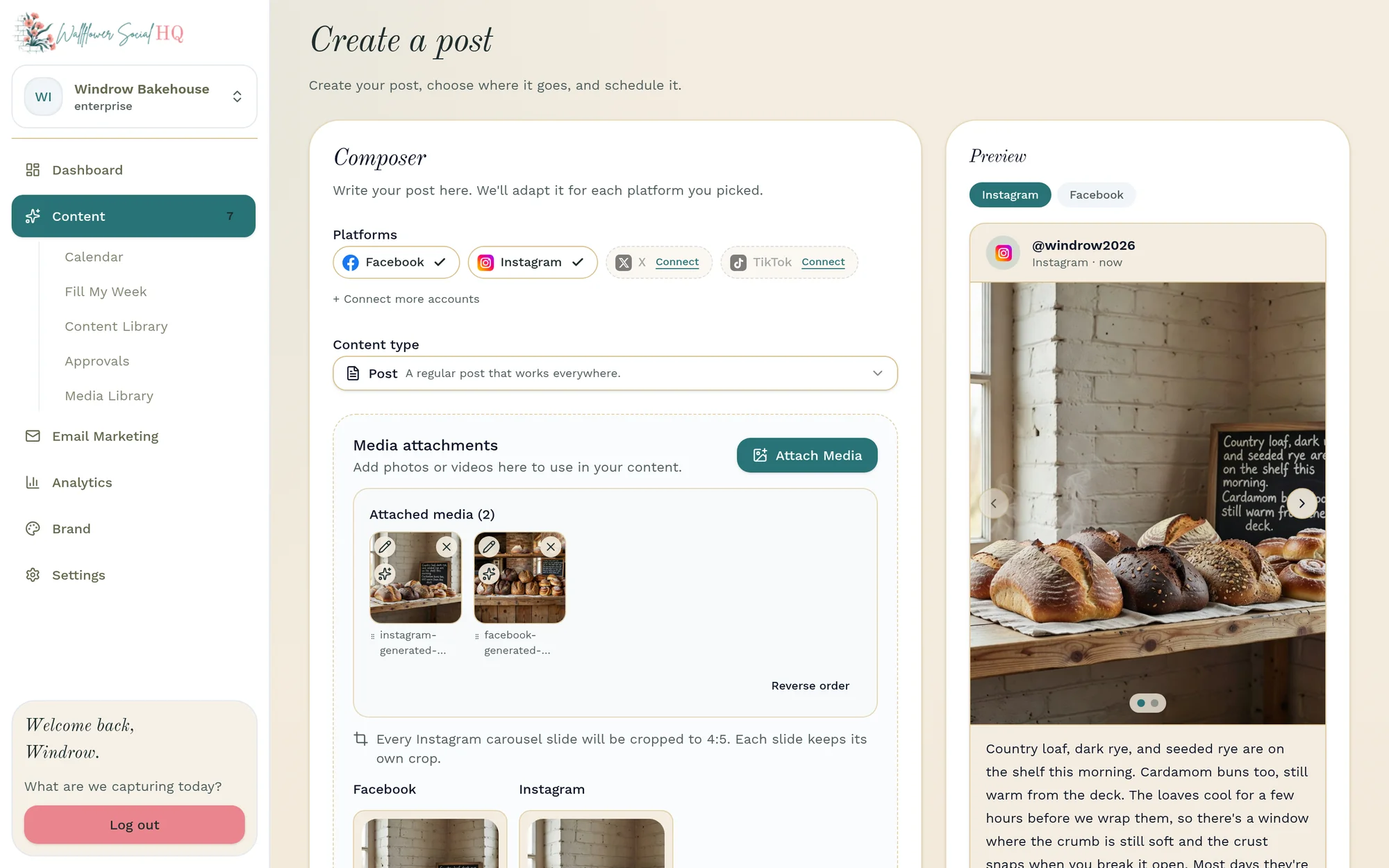
Made-for-you images
When you're short on photos, we can create on-brand images to fill the gap.
Step 3 · You're posted
Approve
Approve in a tap, or let it go.
Approve in a tap, or let it go out on its own. You decide how hands-on to be.
- Approve from the web app or the phone app's Review tab
- Auto-publish when you trust it
- Change anything before it goes out
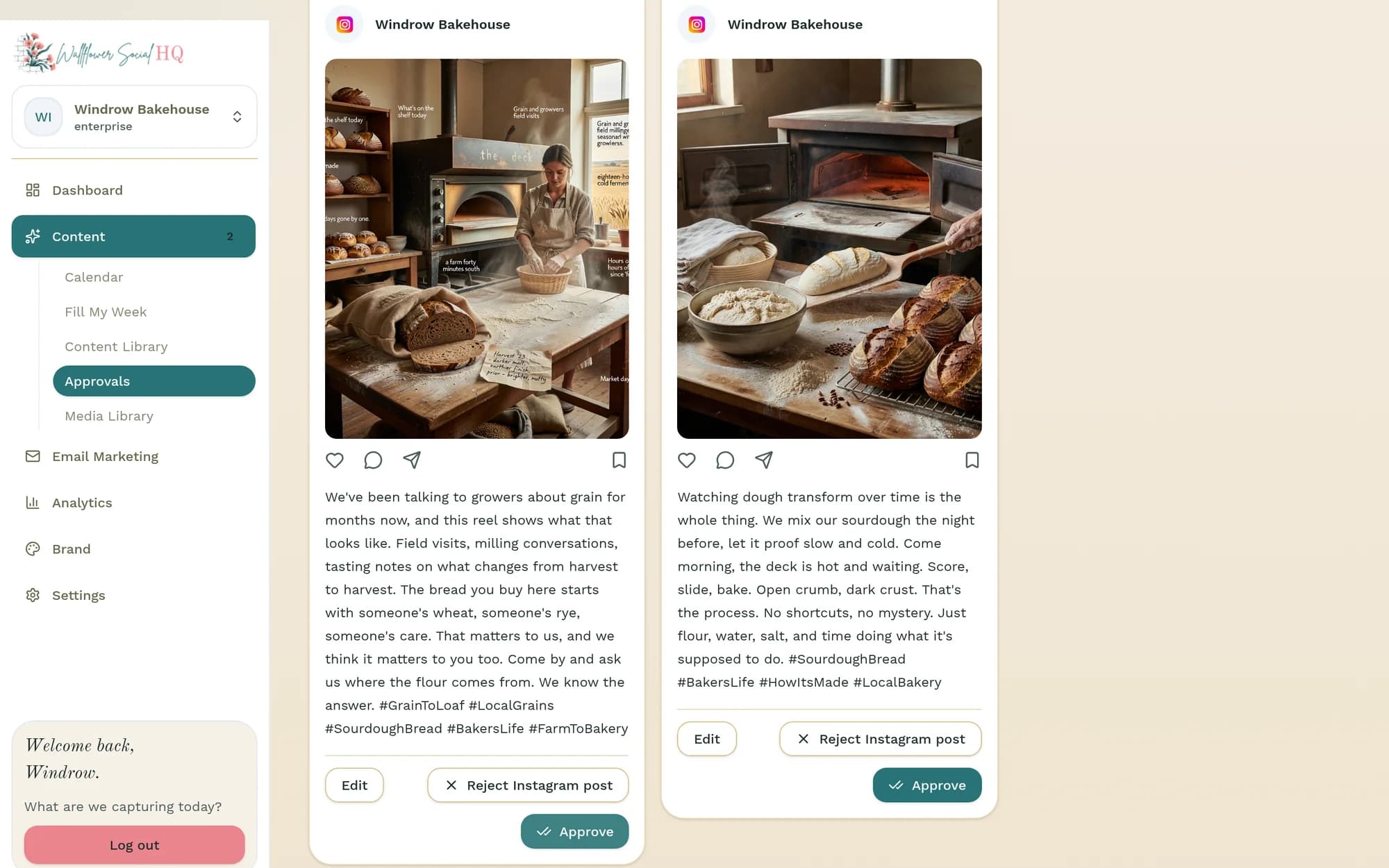
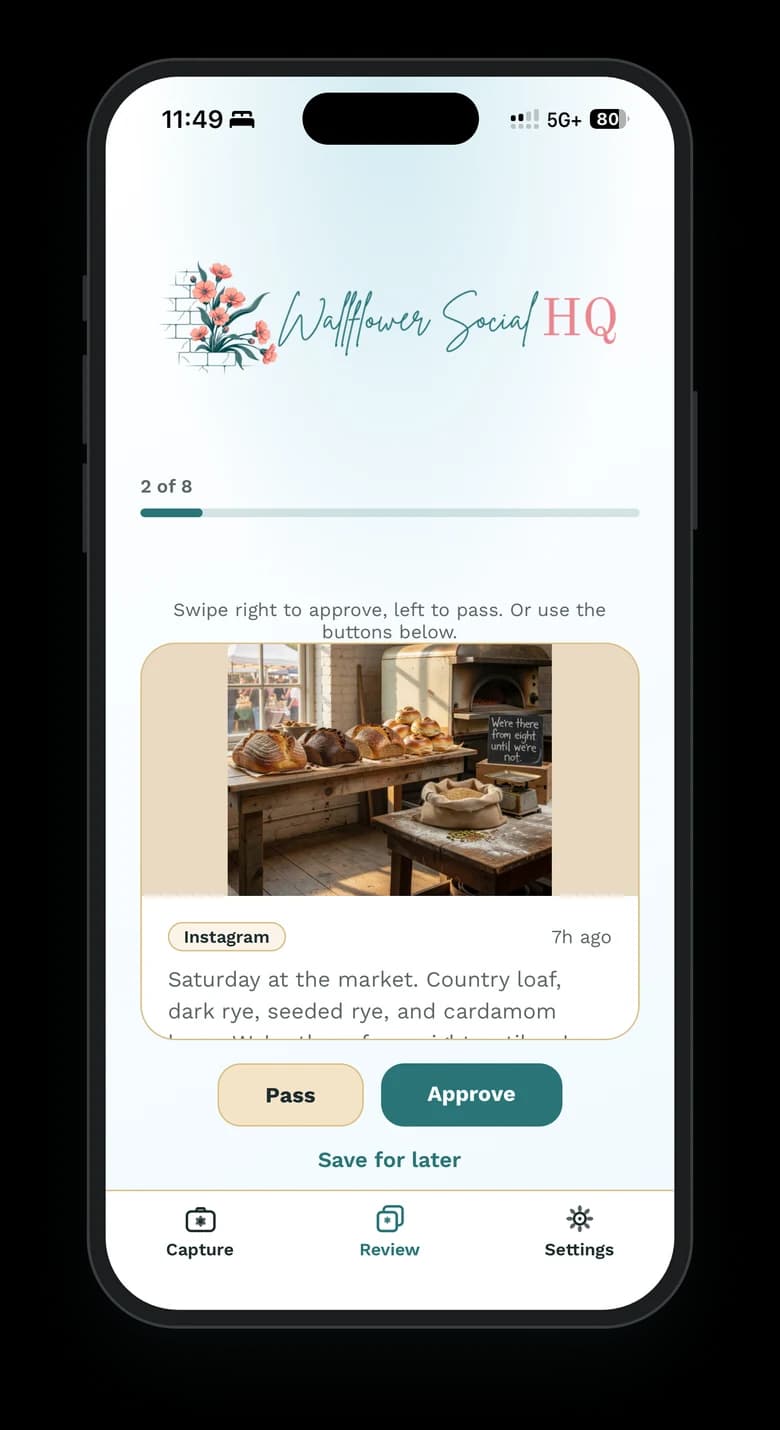
Approve from your phone
Your week, approved from anywhere.
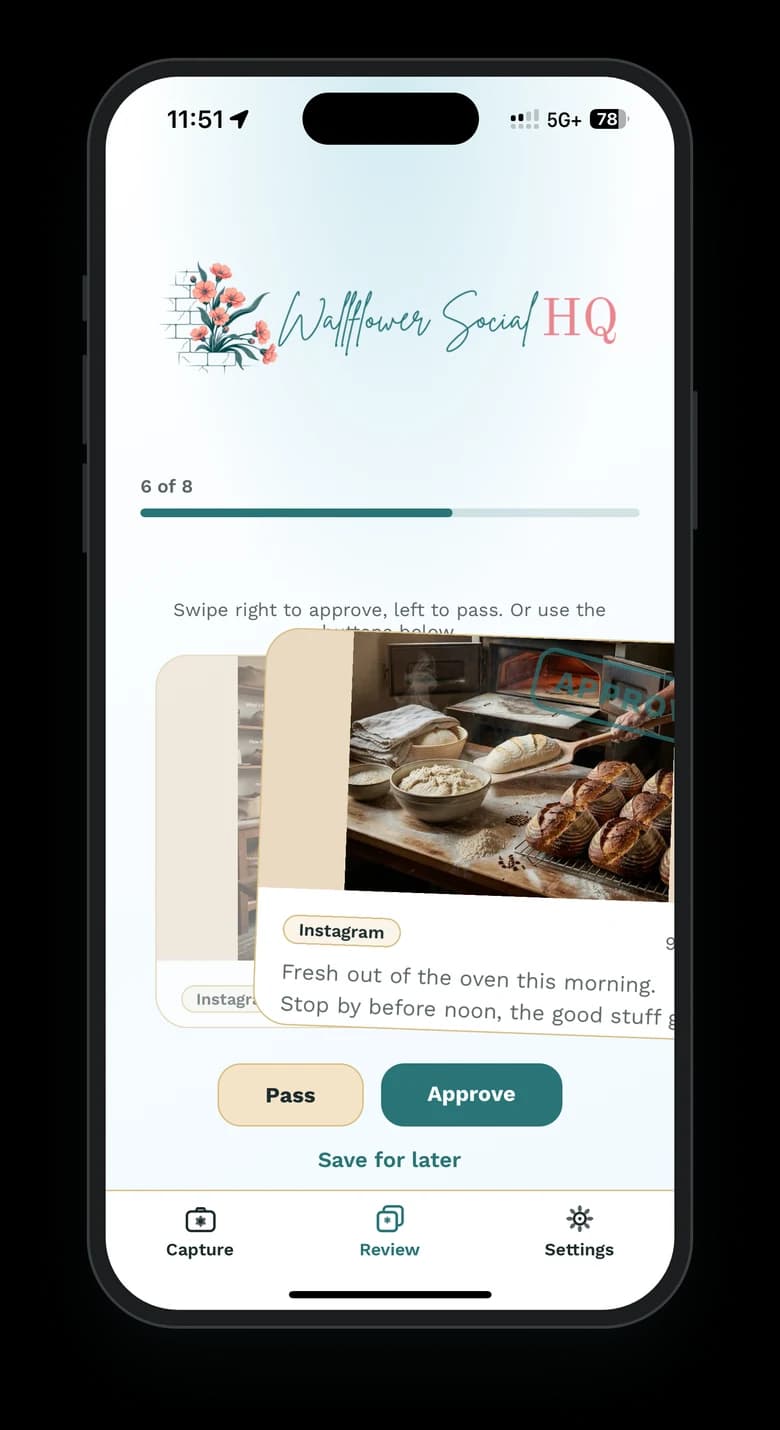
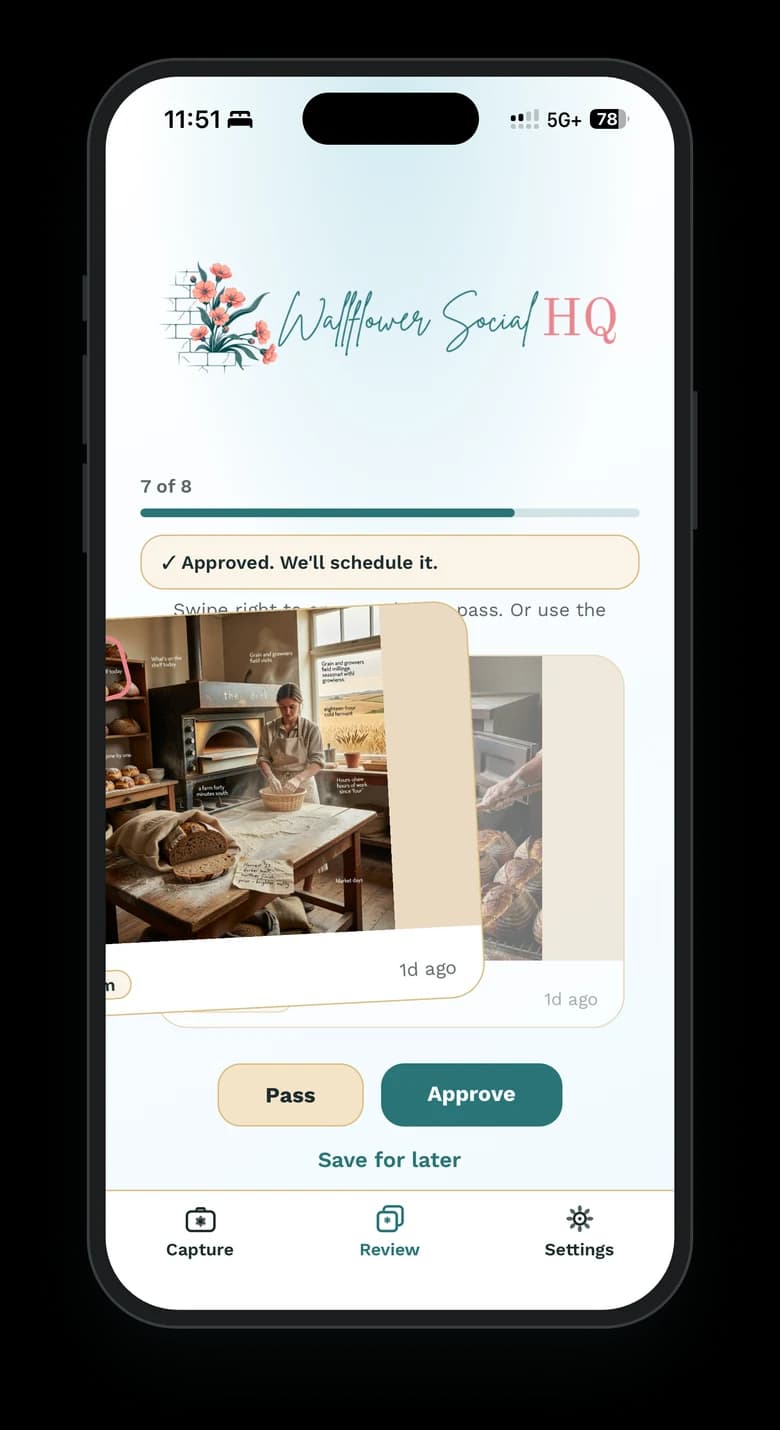
The Review tab in the phone app shows every post waiting for you. Look it over and approve it in a tap, from the job site, the truck, or behind the counter. No laptop needed.
- Review tab: everything waiting for approval, in one list
- Approve in a tap, wherever you are
Publish
Posts where it matters.
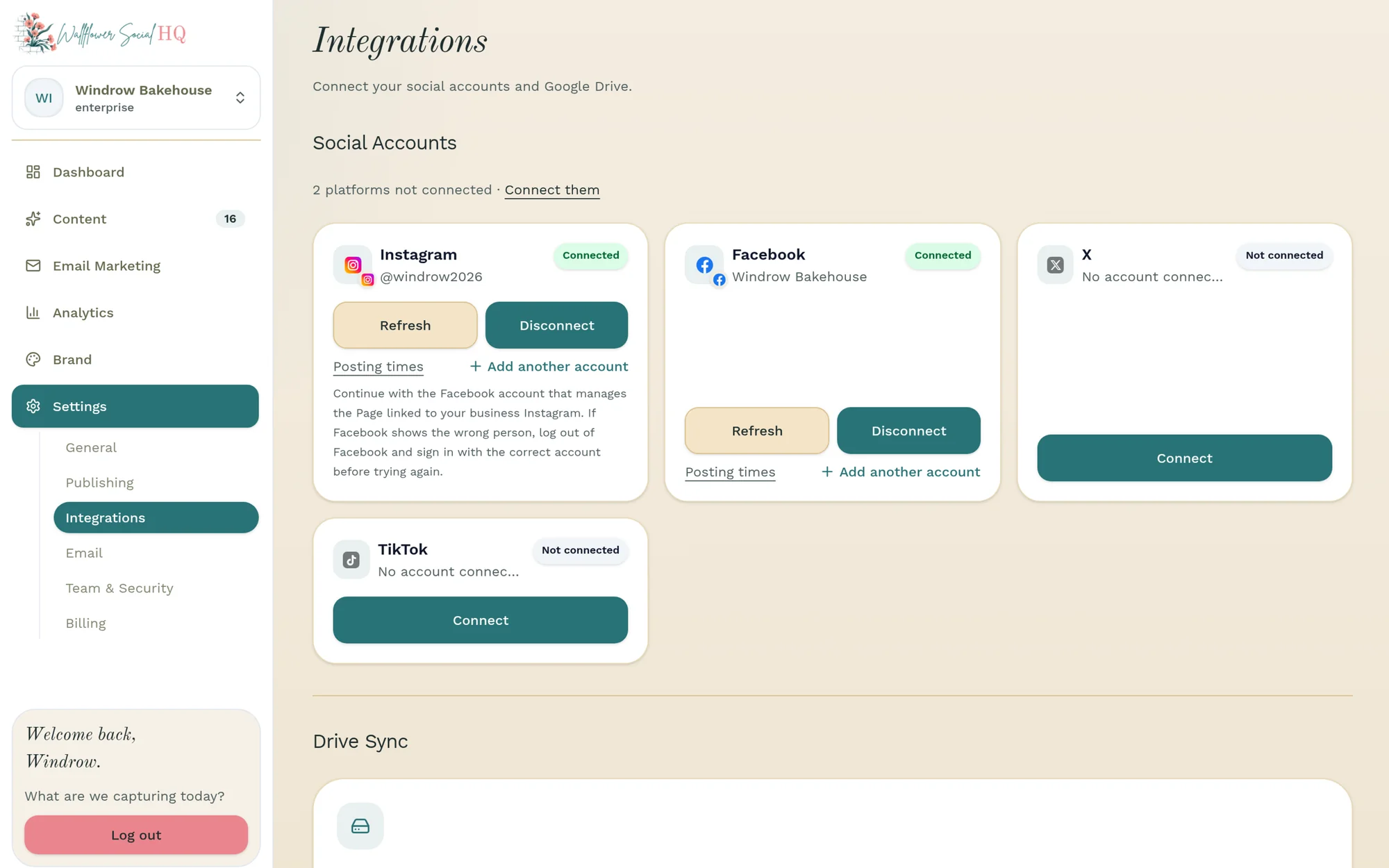
Connect your channels once. Everything publishes where your customers already are, on a schedule that makes sense for your day. Each post is shaped to fit wherever it's headed.
- Solo: Instagram + Facebook, up to 4 pages or profiles
- Pro: all four channels (adds TikTok + X), up to 8
- Enterprise: all four channels, 8 in each of its 3 workspaces (24 total)
- Connections are per account: two Instagram profiles count as two
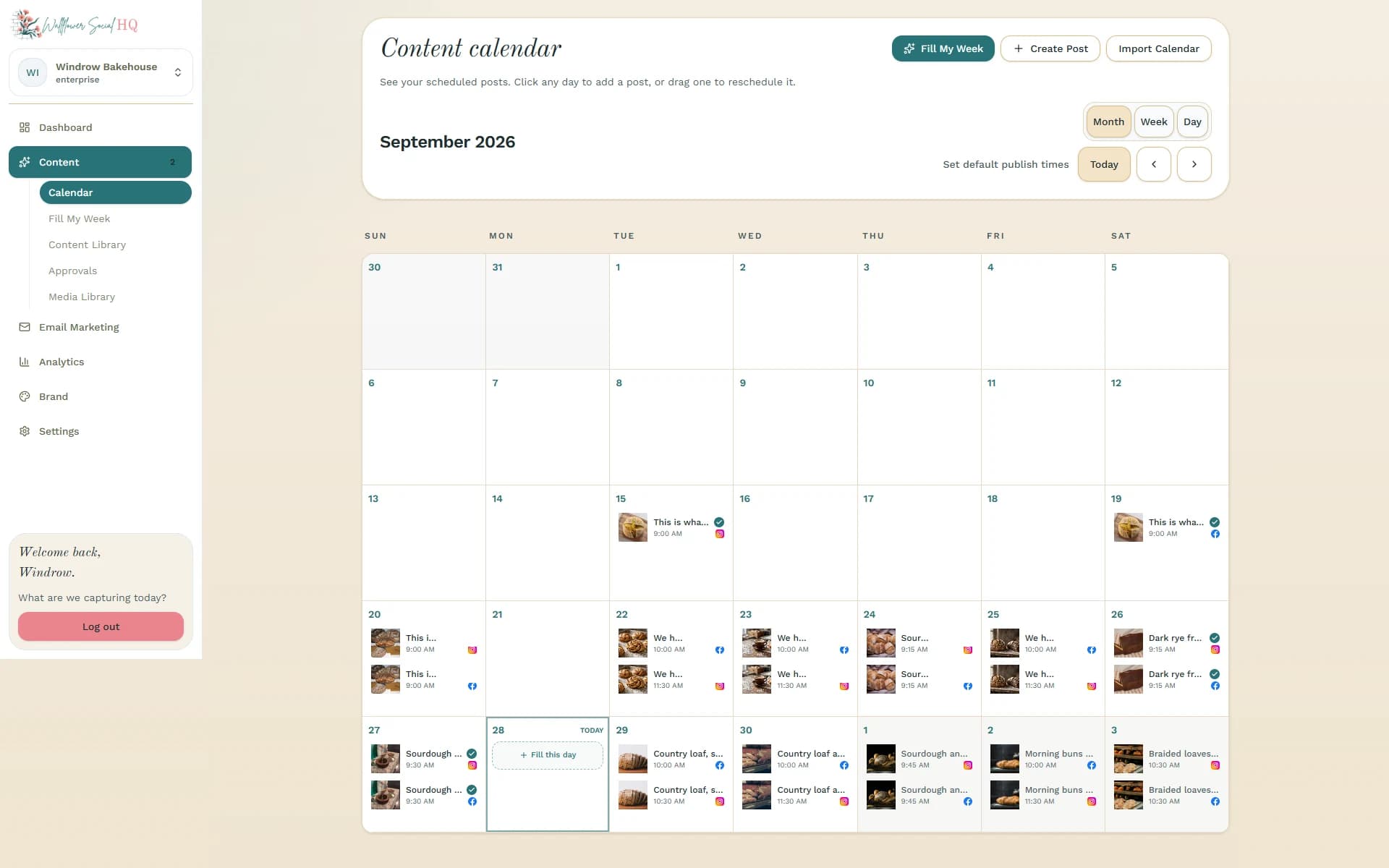
What you can post
Every format your customers actually scroll.
- Posts
- Reels
- Carousels
- Posts
- Stories
- Reels
X
- Posts
- Threads
- Polls
Pro and Enterprise
TikTok
- Video
Pro and Enterprise
See what landed
Know what's landing.
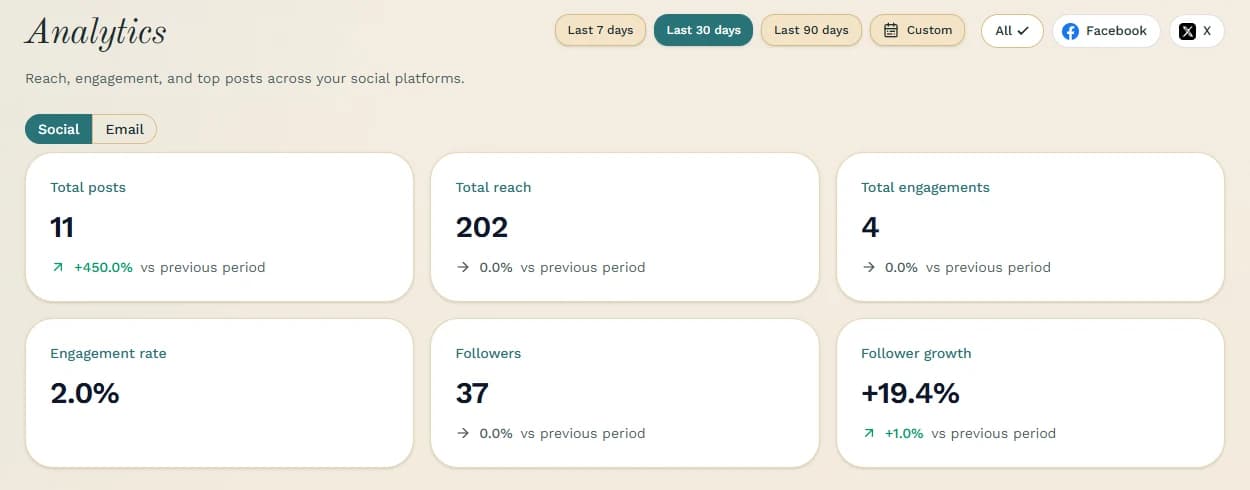
See what's working in plain numbers, no spin and no dashboard degree required.
- 90 days of analytics on Solo
- A full year on Pro
- Unlimited history on Enterprise
Email marketing, built in
Your email list, in the same place.
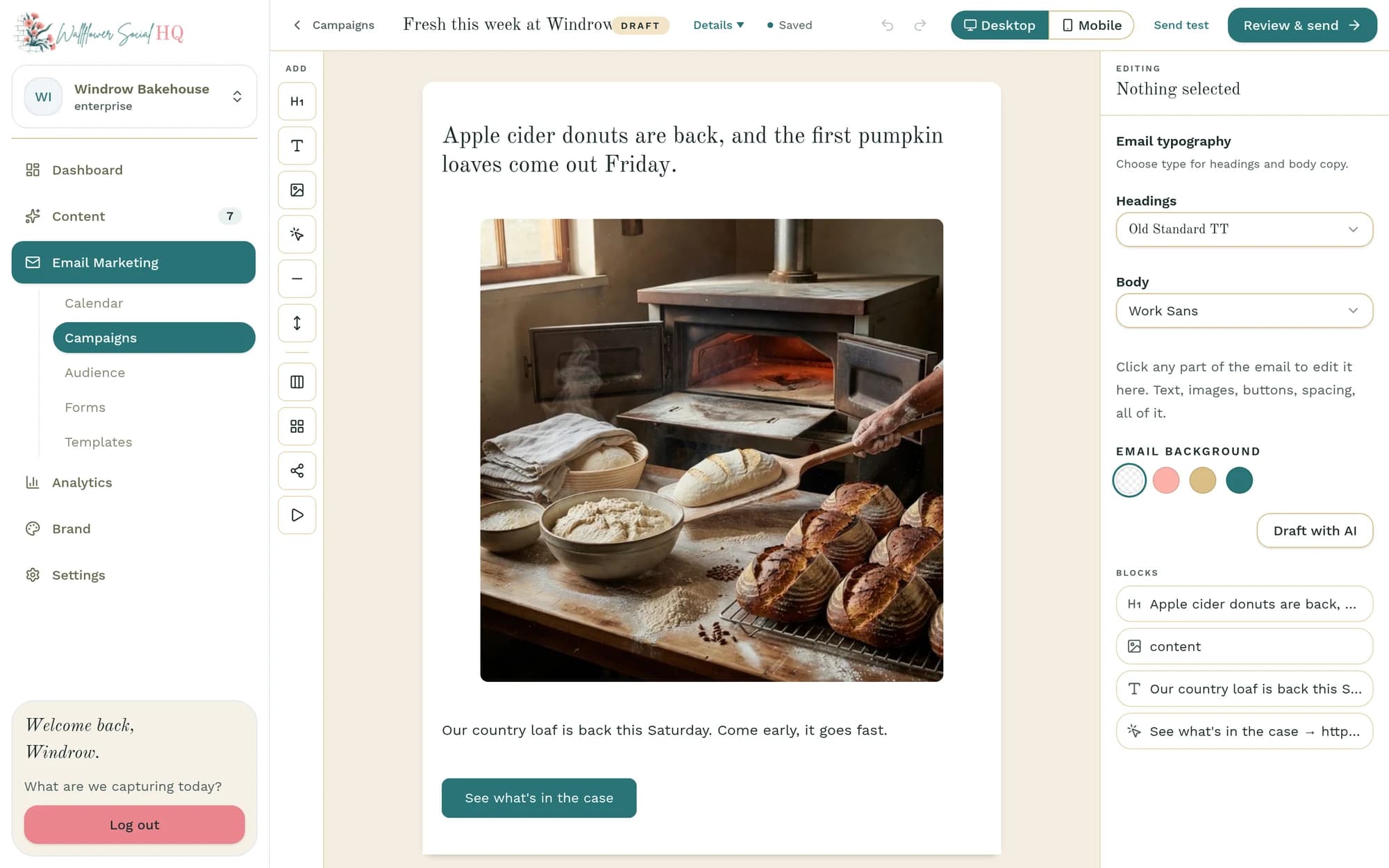
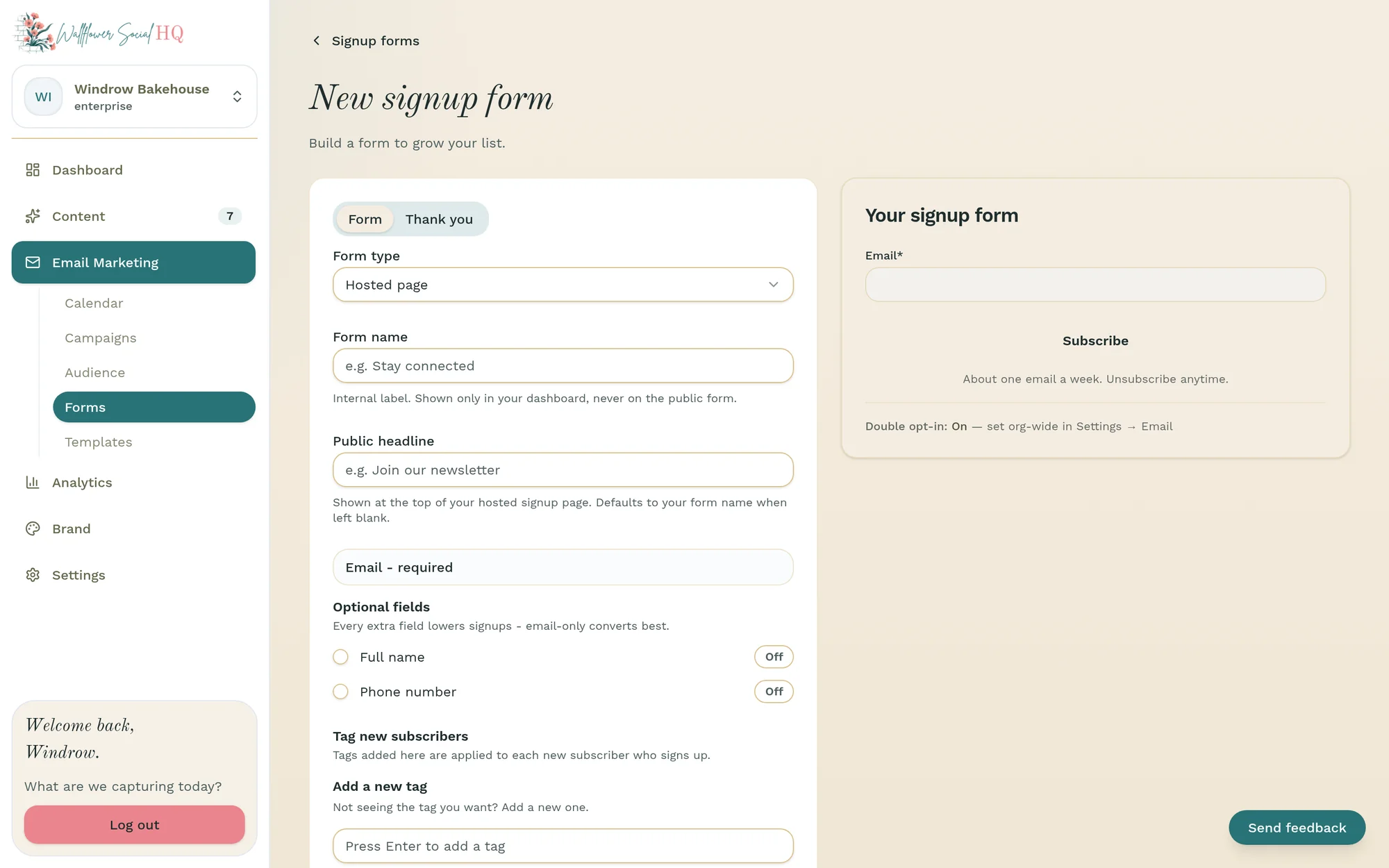
Run real email campaigns without another tool. Start from a template, grow your list with signup forms, keep your audience lists tidy, and send from your own domain.
- Campaigns, from draft to send
- Signup forms to grow your list
- Templates so every email looks like you
- Audience lists
- Send from your own domain
- 500 subscribers on Solo, 2,000 on Pro, 5,000 on Enterprise (shared across workspaces)
More built in
The rest of the toolkit, already included.
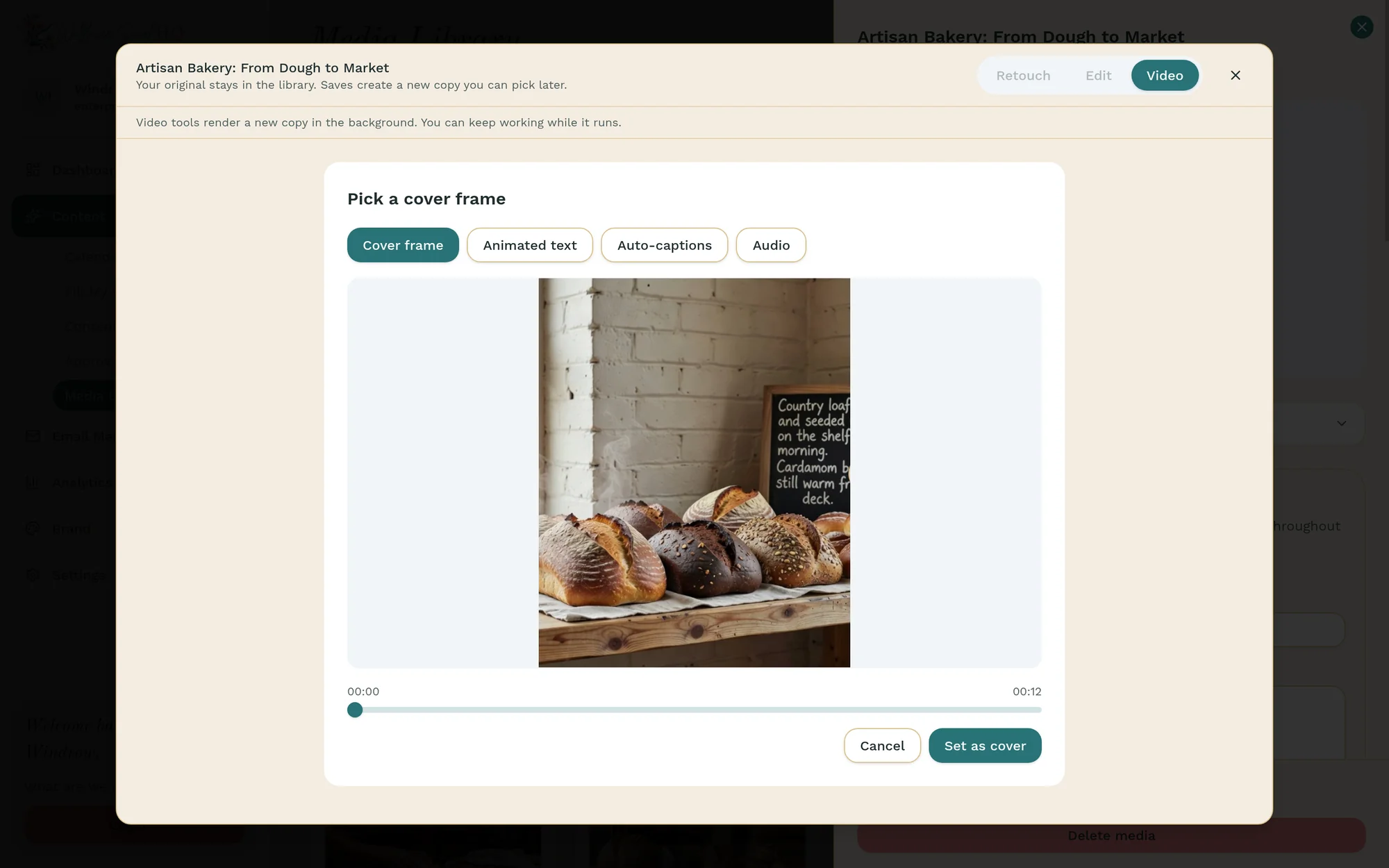
Video tools
Auto-captions, animated text, a cover-frame picker and audio you record or pick from your library, so a quick clip is ready to post.
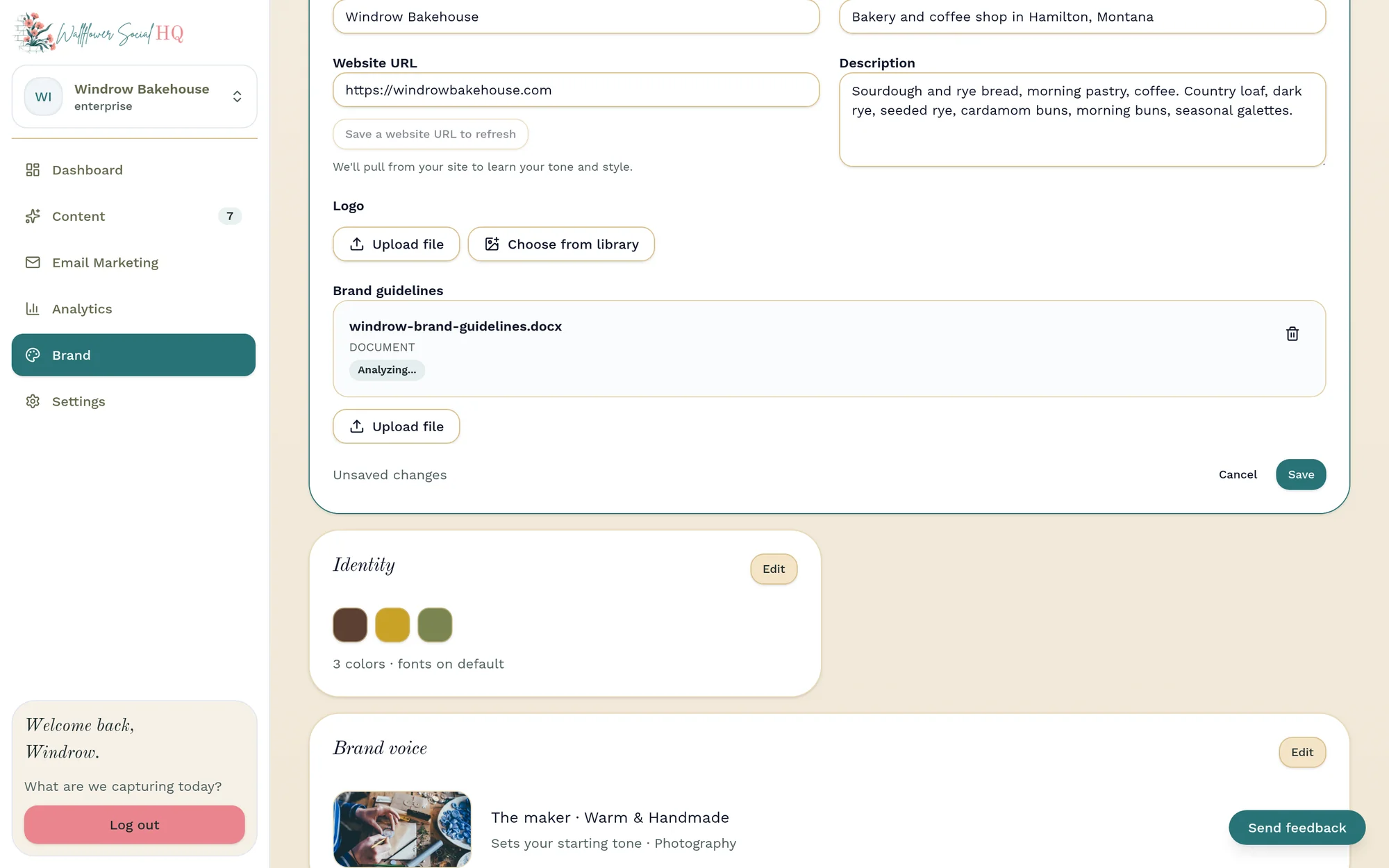
Brand setup that learns
Point it at your website, your Instagram and your brand documents. Drafts start on brand from day one.
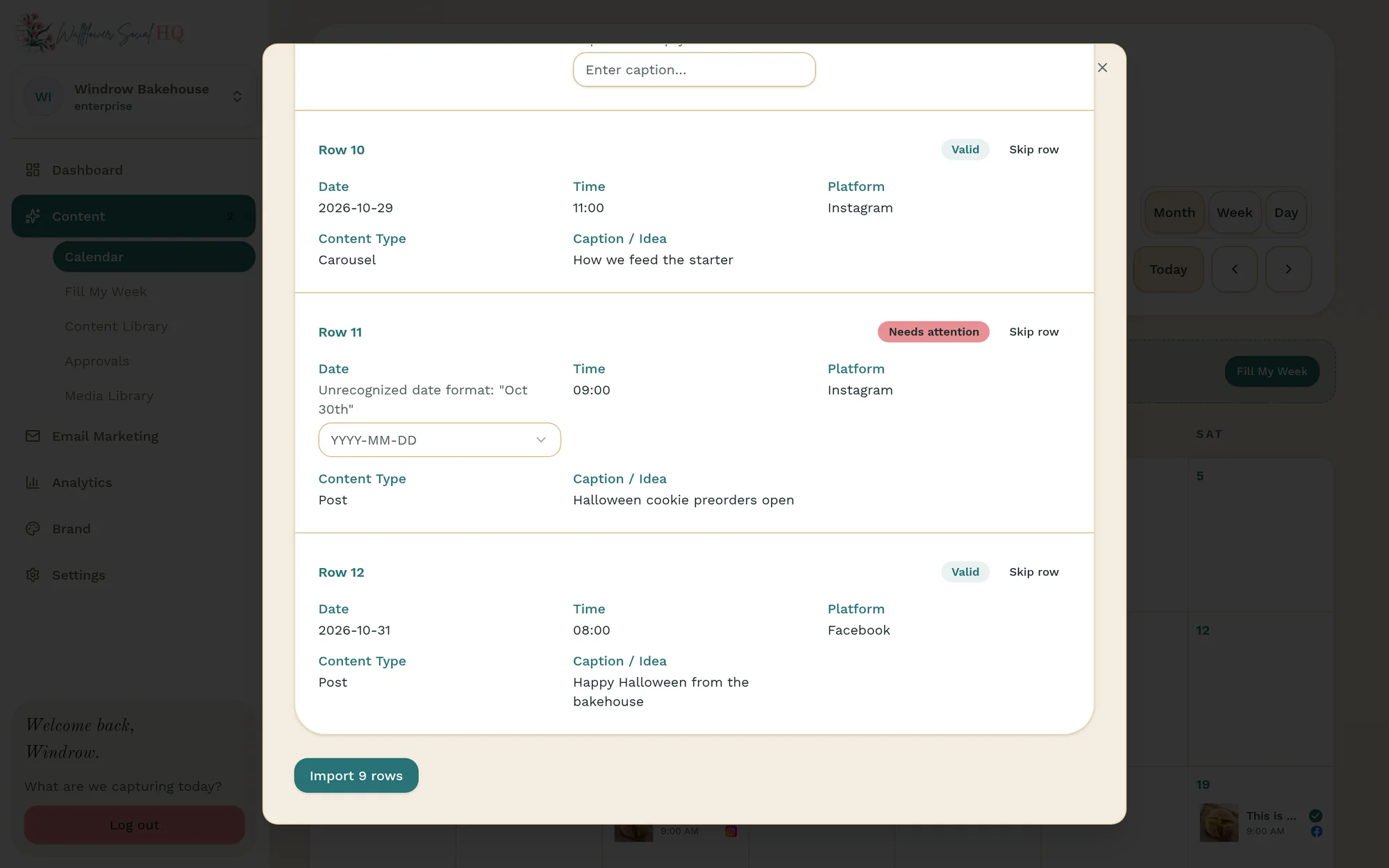
Works with what you have
Sync photos from Google Drive, import a content calendar from a spreadsheet, and send posts through approvals.
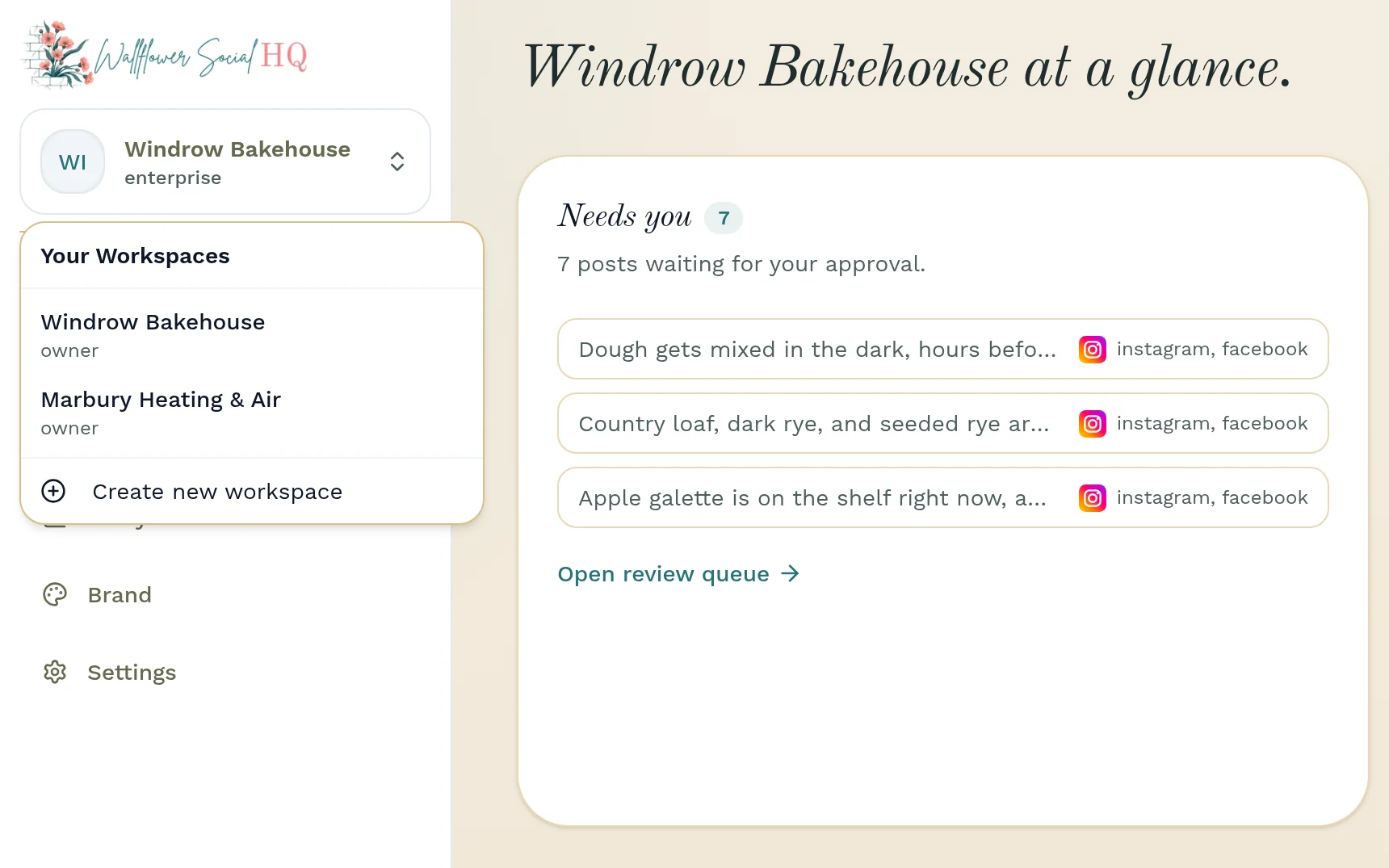
Can I run more than one brand?
Each brand lives in its own workspace, with its own channels, library, and look. Solo and Pro include one workspace. Enterprise includes three, each with 5 seats and 8 pages or profiles (15 seats and 24 profiles in total), plus 50 made-for-you images and 10 hours of video processing a month in each. Email subscribers are shared across the account.
Pick the right fit
Which plan fits you?
Each card says who it's best for.
Solo $29 a month, 500 email subscribers · 5,000 sends a month. Pro $79 a month, 2,000 email subscribers · 20,000 sends a month. Enterprise $149 a month, 5,000 email subscribers, shared across workspaces · 50,000 sends a month
Solo
Best if it's just you, on Instagram + Facebook.
For the solo owner getting a steady presence off the ground.
500 email subscribers · 5,000 sends a month
Billed monthly. Or $290/year with 2 months free.
Start free trial7 days free. Cancel before your trial ends and you won't be charged.
- Instagram + Facebook
- 1 workspace
- 1 seat · unlimited companion users
- Up to 4 pages or profiles · more than one per channel
- 10 made-for-you images / mo
- 1 hour of video processing / mo
- Email marketing · 500 subscribers
- 90 days of analytics
- Everything you'd expect: composer, calendar, approvals, brand voice
Pro
Best if you want TikTok + X too, or have a small team.
For a busy business that wants every channel covered, with a small team to help.
2,000 email subscribers · 20,000 sends a month
Billed monthly. Or $790/year with 2 months free.
Start free trial7 days free. Cancel before your trial ends and you won't be charged.
- All four channels · adds TikTok + X
- 1 workspace
- 3 seats · unlimited companion users
- Up to 8 pages or profiles · more than one per channel
- 50 made-for-you images / mo
- 10 hours of video processing / mo
- Email marketing · 2,000 subscribers
- A full year of analytics
- Everything you'd expect: composer, calendar, approvals, brand voice
Enterprise
Best if you run 2–3 brands or locations.
For a growing team running two or three brands or locations.
5,000 email subscribers, shared across workspaces · 50,000 sends a month
Billed monthly. Or $1,490/year with 2 months free.
Start free trial7 days free. Cancel before your trial ends and you won't be charged.
- 3 workspaces · each with Pro's channels and tools
- All four channels
- 5 seats in each workspace (15 total) · unlimited companion users
- 8 pages or profiles in each workspace (24 total)
- 50 made-for-you images / mo, in each workspace
- 10 hours of video processing / mo, in each workspace
- Email marketing · 5,000 subscribers, shared across workspaces
- Unlimited analytics history
- Priority support
- Everything you'd expect: composer, calendar, approvals, brand voice
Running an agency or a stack of brands? Get in touch and we'll set up the right workspaces and seats for you.
Your free trial
Your first week, drafted and ready for your OK.
You'll see your first week of posts before any payment. Here's a simple way to get there.
Connect your channels
Link Instagram and Facebook (plus TikTok and X on Pro). Connect once.
Snap or add photos
You or anyone on your team sends photos from the companion app.
Tap “fill my week”
Get posts, captions, and a schedule shaped to your brand voice.
Approve and watch it land
Approve in a tap, then see what landed in plain numbers.
Good questions
The things owners actually ask.
Do you use my real photos or generated ones?
Your real work comes first, because that's what people respond to. When you're short on photos, we can create on-brand images to fill the gap: 10 a month on Solo, 50 on Pro, and 50 in each Enterprise workspace.
What is the companion app?
A lightweight phone app just for capturing. Anyone on your team can snap and send photos in from the field, and companion access is unlimited on every plan.
Can my whole team use it?
Yes. Solo includes one seat, Pro three, and Enterprise five in each of its three workspaces (15 in total), with unlimited companion-app capture on every plan.
Can I approve posts from my phone?
Yes. The Review tab in the phone app lists every post waiting for approval, and you approve in a tap.
Do I need any marketing experience?
None at all. If you can take a photo, you can run this.
You took the photo. We'll do the rest.
Add a few photos and see your first week of posts before you decide.
Start free trialTry it free for 7 days.