
Change your plan
Move between Solo, Pro, and Enterprise, or switch monthly and annual.
Need more room, or less? You can move between Solo, Pro and Enterprise at any time.
On this page
Before you start
- You're an Owner or Admin. Others see "Ask an owner or admin to manage the plan."
- You're on monthly billing. On yearly billing, email support@wallflowersocialhq.com to change your plan.
Open your plans #
Go to Settings, then Billing. On Current plan, click Change plan. You'll see Choose a plan, with your plan marked Current.
Solo Pro Enterprise Price $29 / month $79 / month $149 / month Seats 1 3 5 per workspace Pages or profiles 4 8 8 per workspace Platforms Facebook, Instagram adds TikTok, X all four Workspaces 1 1 3 Email subscribers 500 2,000 5,000 shared Analytics history 90 days A full year Unlimited Every plan includes unlimited companion app users. Need more email subscribers without changing plans? Add them with Additional Email Subscribers. See Subscriber limits by plan.
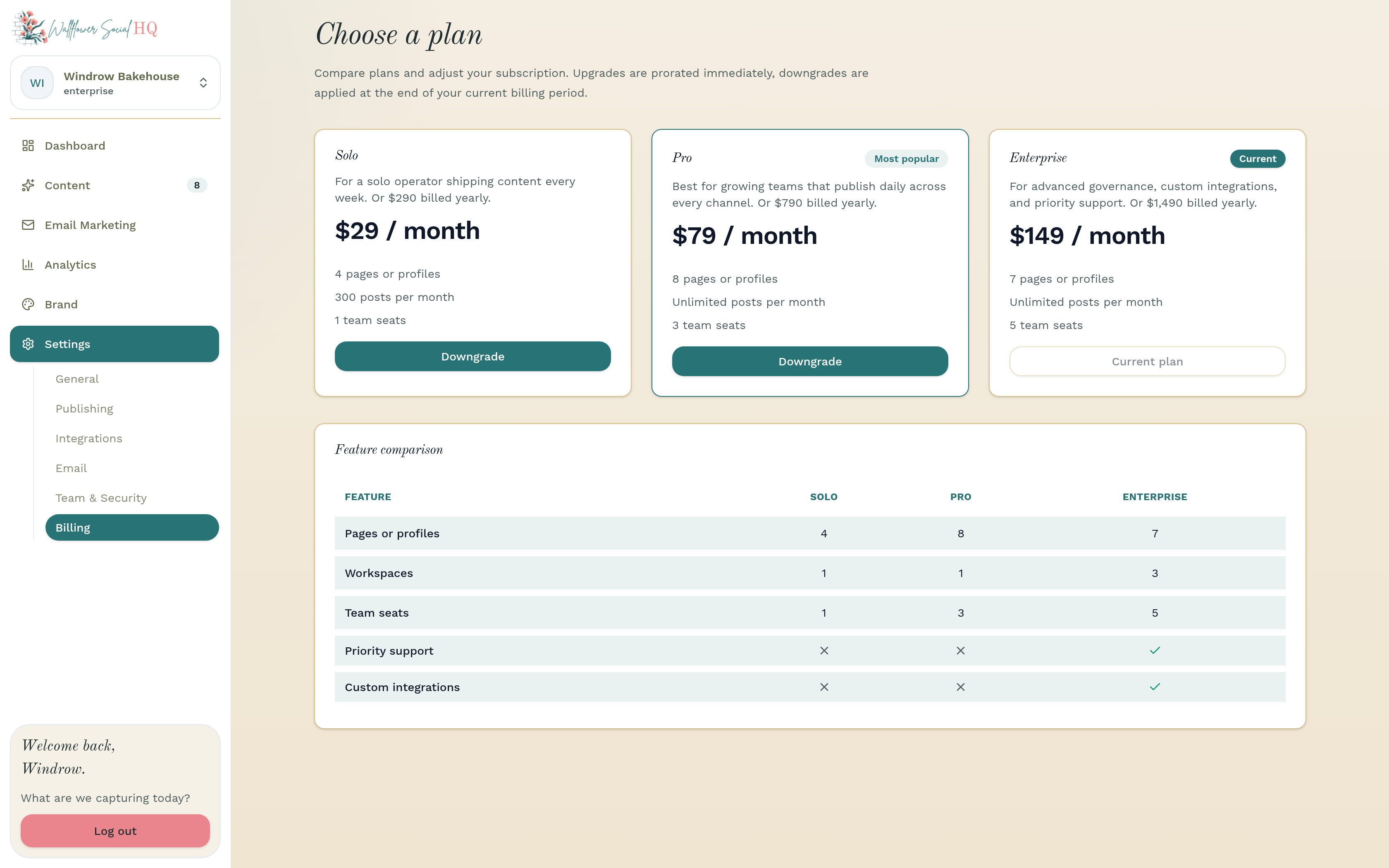
Move up #
Click Upgrade on the plan you want. Upgrades start right away, and you're charged a prorated amount for the rest of this billing period.
Move down #
Click Downgrade. In Confirm plan downgrade, choose what to keep:
- the team members who keep full seats
- the brands that stay active
- the connected accounts that keep publishing
- on Enterprise, the workspace that stays active
Click Confirm downgrade. Your current limits stay until the end of this billing period, then the lower ones apply. You'll see Plan change scheduled until then. Nothing you've made is deleted.
NoteAccounts you don't keep stay connected but stop publishing. Other workspaces become read-only.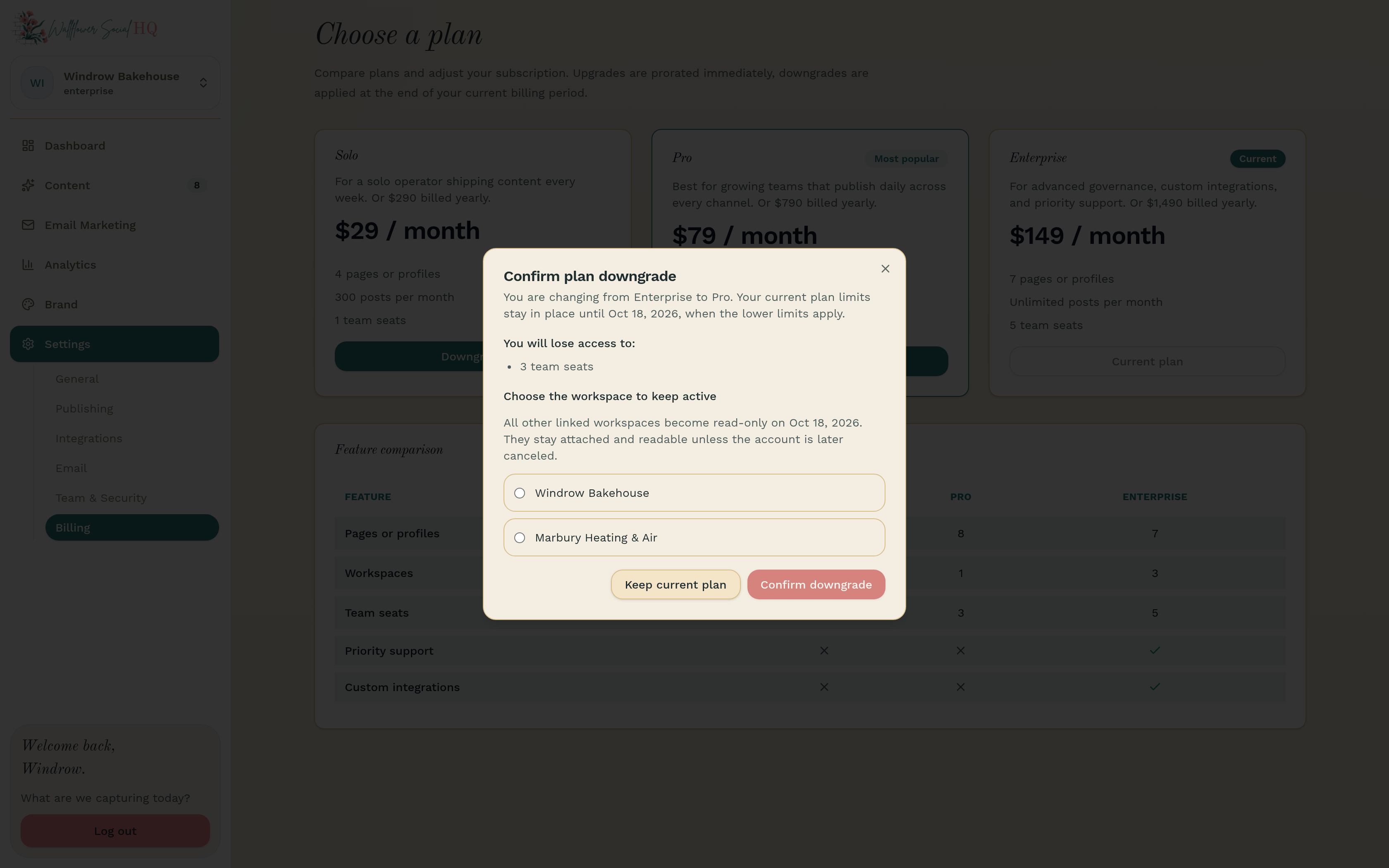
Switch monthly and annual #
You choose monthly or yearly billing when you sign up. Annual is 10 times the monthly price, so you get 2 months free. To switch an existing plan between monthly and yearly, email support@wallflowersocialhq.com.
More in Billing & plans
Still stuck?
If you need more personalized support, send us an email and we will get back to you soon.