
Connect TikTok and X
Available on Pro and Enterprise.
On Pro and Enterprise, you can publish to TikTok and X as well as Facebook and Instagram.
Open Integrations in Wallflower
Before you start
- You're on Pro or Enterprise. Solo includes Facebook and Instagram. To add TikTok and X, move up to Pro. See Change your plan.
- You're an Owner or Admin.
- Allow pop-ups for Wallflower.
Open Integrations #
Go to Settings, then Integrations, and find Social Accounts.
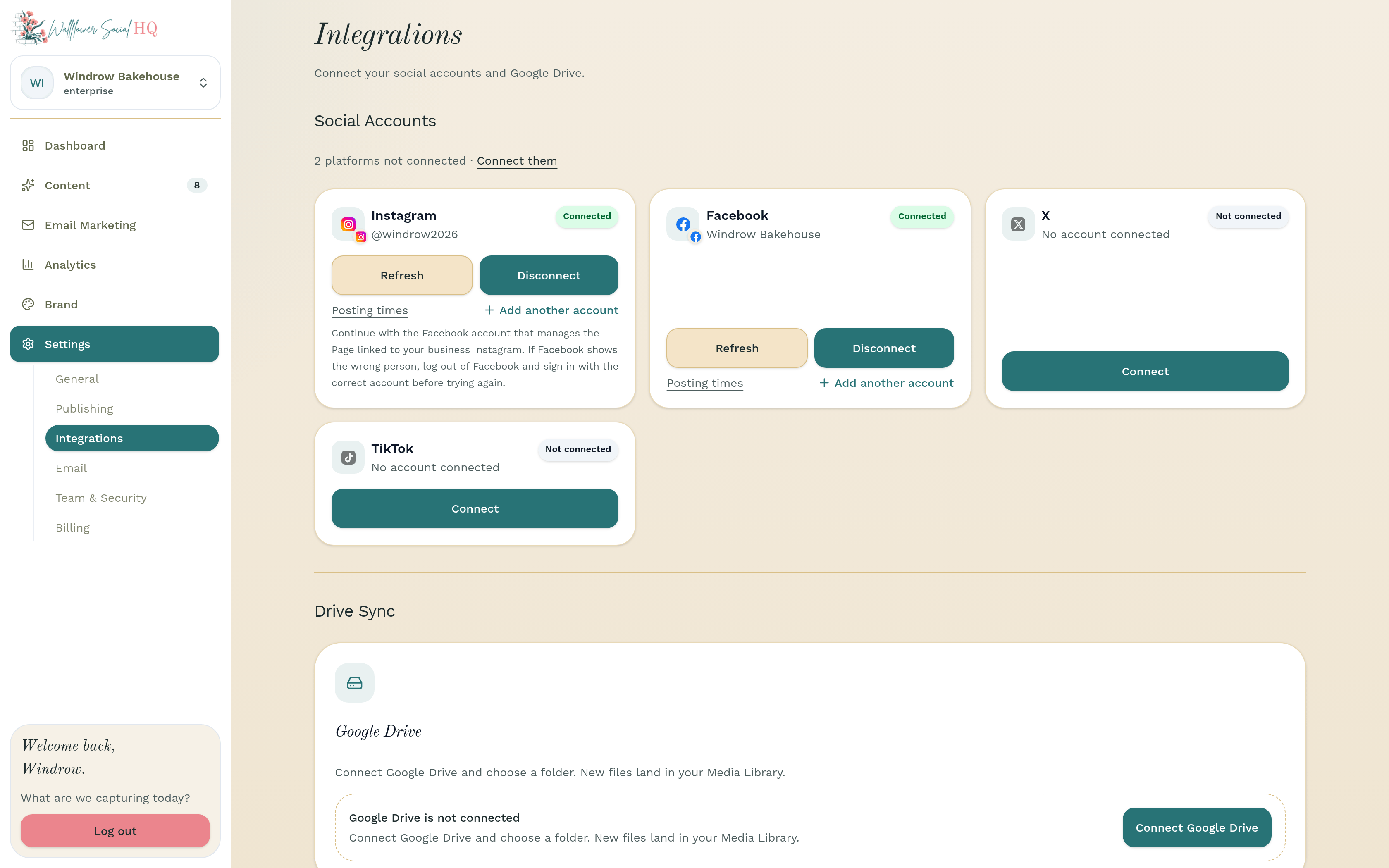
Connect #
On the TikTok or X card, click Connect. A pop-up opens. Behind it, Wallflower shows a message asking you to finish connecting in the pop-up window.
For X, sign in if asked. X then asks to access your account. If X shows a Sensitive permissions box, tick I trust this app, then click Authorize app. Otherwise, just click Authorize app.
For TikTok, sign in if asked. TikTok then asks to access your account and lists the permissions, already switched on: your profile info, posting content, and uploading drafts. Click Continue.
The pop-up closes on its own when you're done.
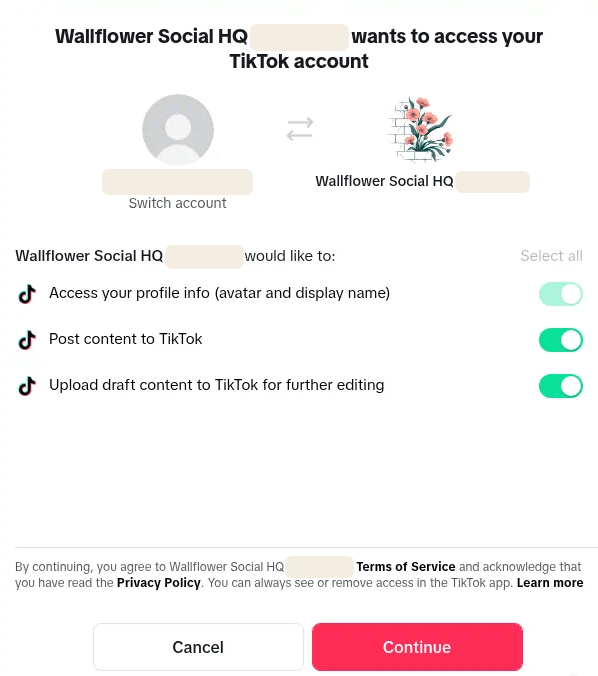
Check it's connected #
Back on Integrations, the TikTok or X card now says Connected. The X card also shows the account name.
NoteEach account counts as one connection toward your plan: 8 on Pro, and 8 per workspace on Enterprise.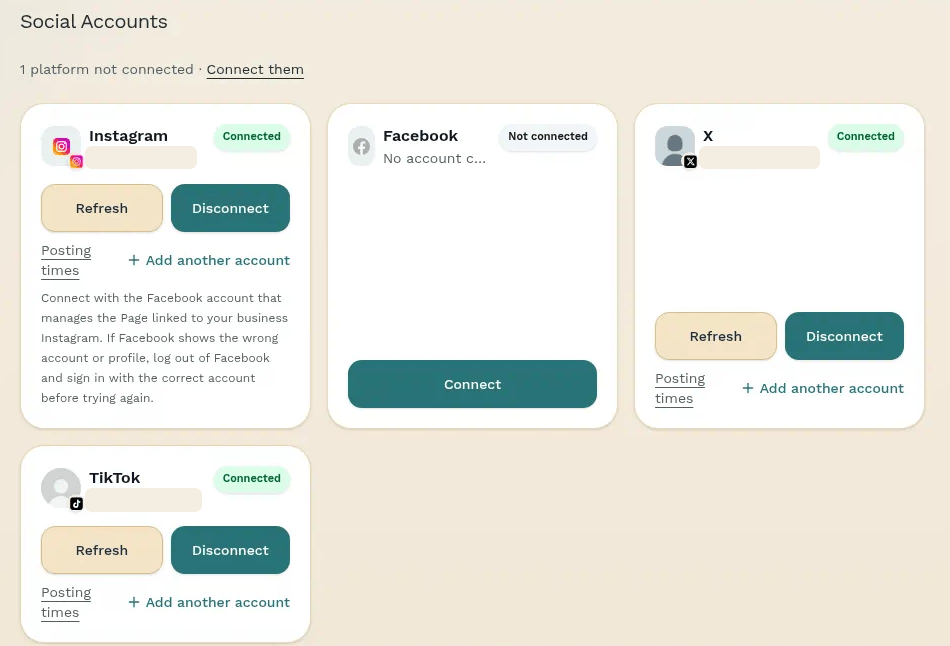
Still stuck?
If you need more personalized support, send us an email and we will get back to you soon.