
Where your photos go
Find captured photos in your media library.
Every photo and video sent from the companion app goes to one shared place: your workspace's Media Library. Files from Google Drive sync land there too.
Open Media Library in Wallflower
On this page
Before you start
- You're an Owner, Admin, or Editor. Companion users send photos in but don't browse the library on the web.
Open the Media Library #
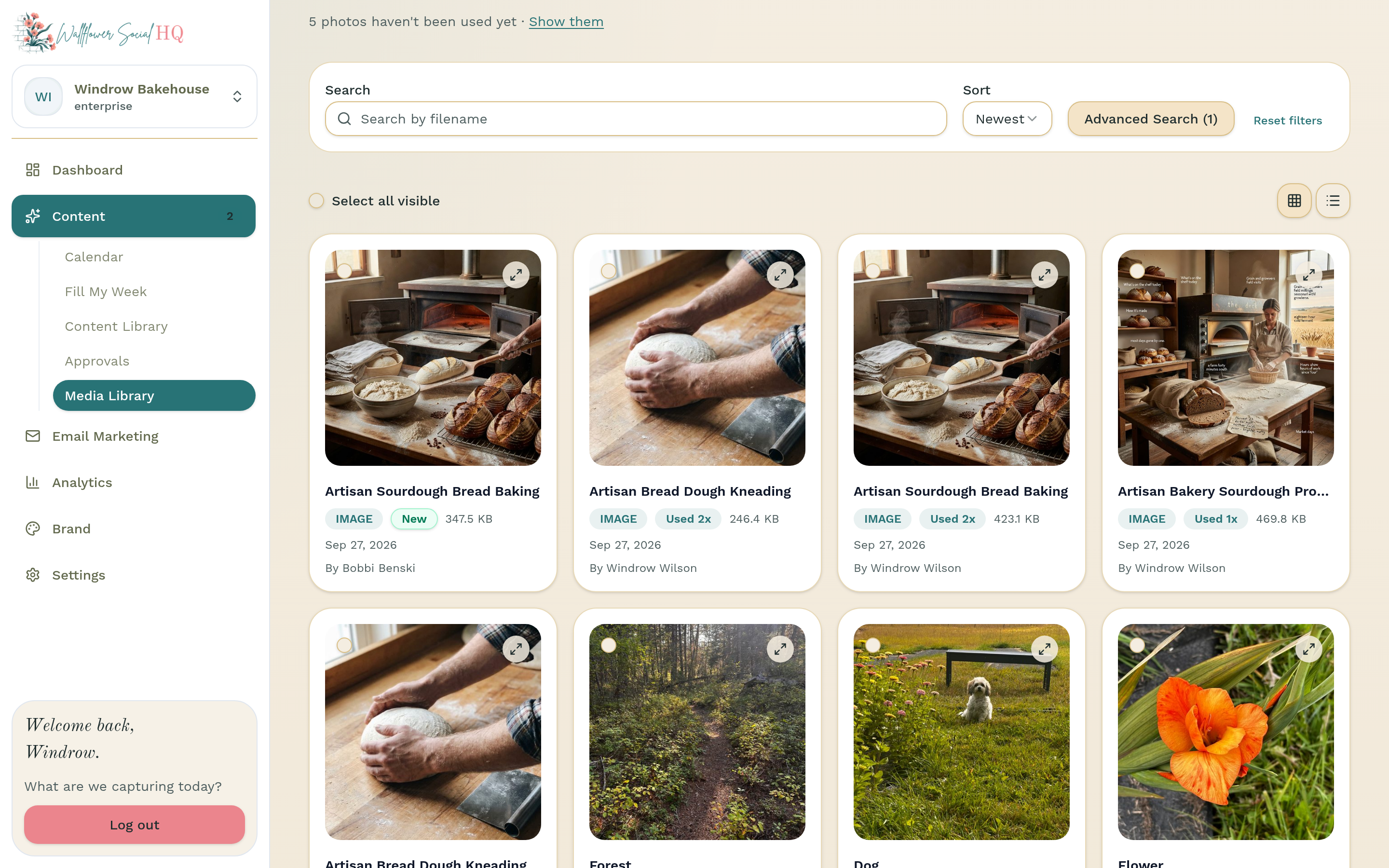
In the sidebar, open Content, then click Media Library.
Find the photo #
New photos show up in the grid. Use Previous and Next at the bottom to page through older ones.
TipWhen some photos haven't been used in a post yet, a line like "3 photos haven't been used yet" appears. Click Show them to see just those.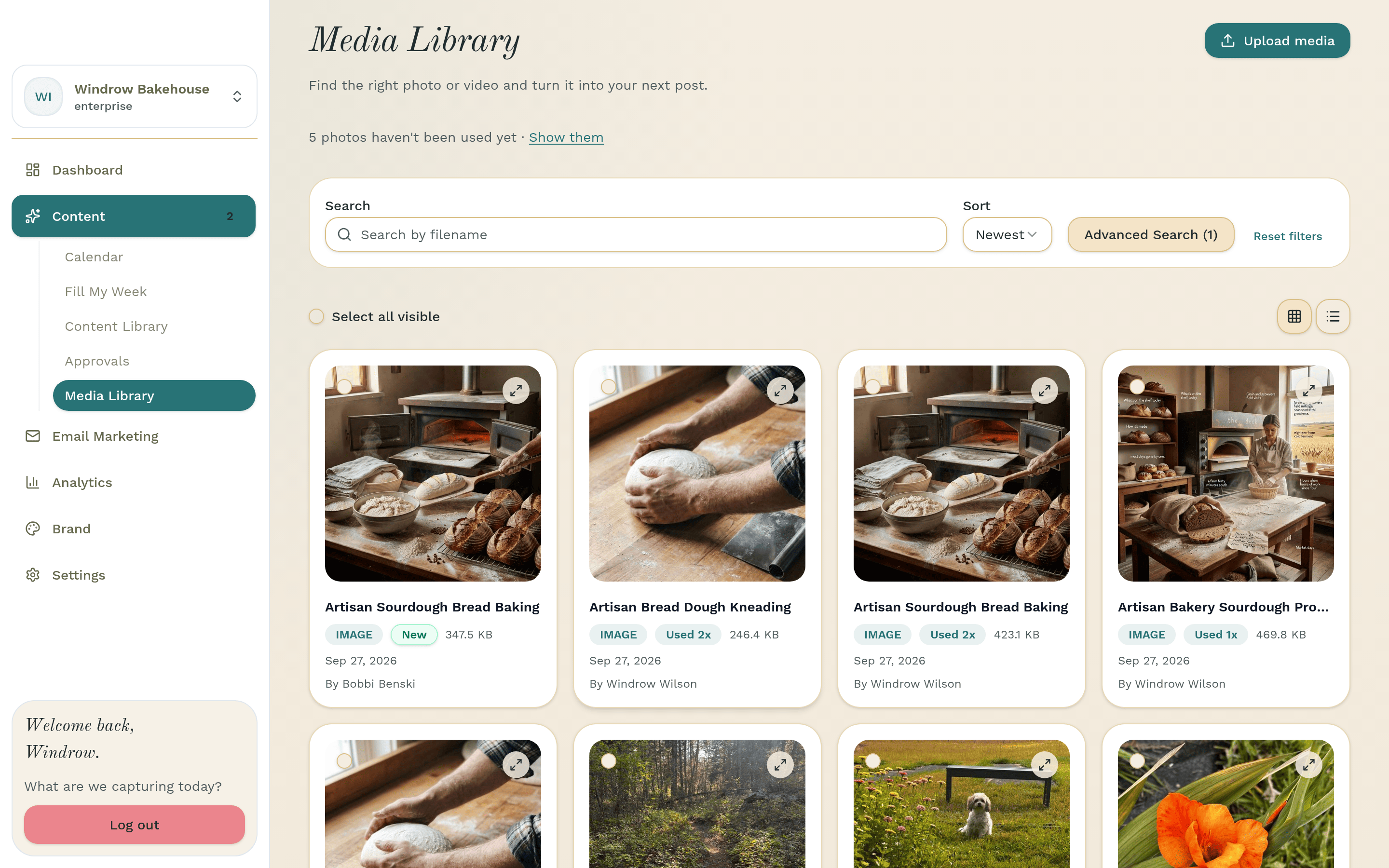
Use it in a post #
Open Content, then Calendar, and click Create Post. Click Attach Media, pick the photo in Select media, and click Attach selected. Wallflower also draws on this library when it drafts posts for you.
NoteOnly owners and admins can delete media. Editors can upload, edit and retouch.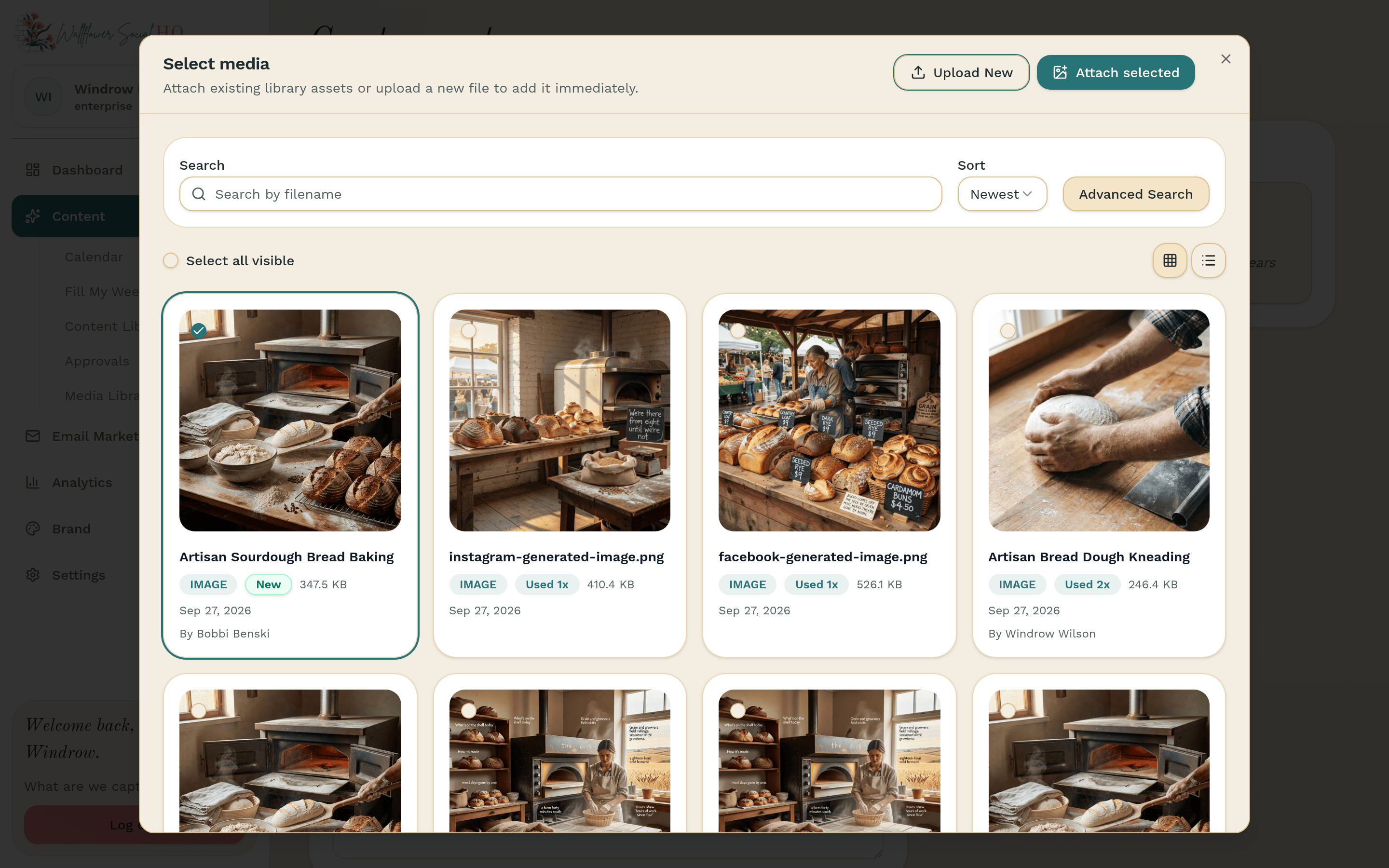
Still stuck?
If you need more personalized support, send us an email and we will get back to you soon.