
Set up your brand profile
Your brand profile shapes how every post we draft for you sounds.
Every caption Wallflower drafts starts from your brand profile. The more of it you fill in, the more the drafts sound like you and the less you have to fix.
On this page
Before you start
- You're an Owner, Admin, or Editor. Companions work from the phone app and don't see the brand profile.
- Your workspace finished onboarding. Brand setup starts there, so some cards may already be filled in.
Open your brand profile #
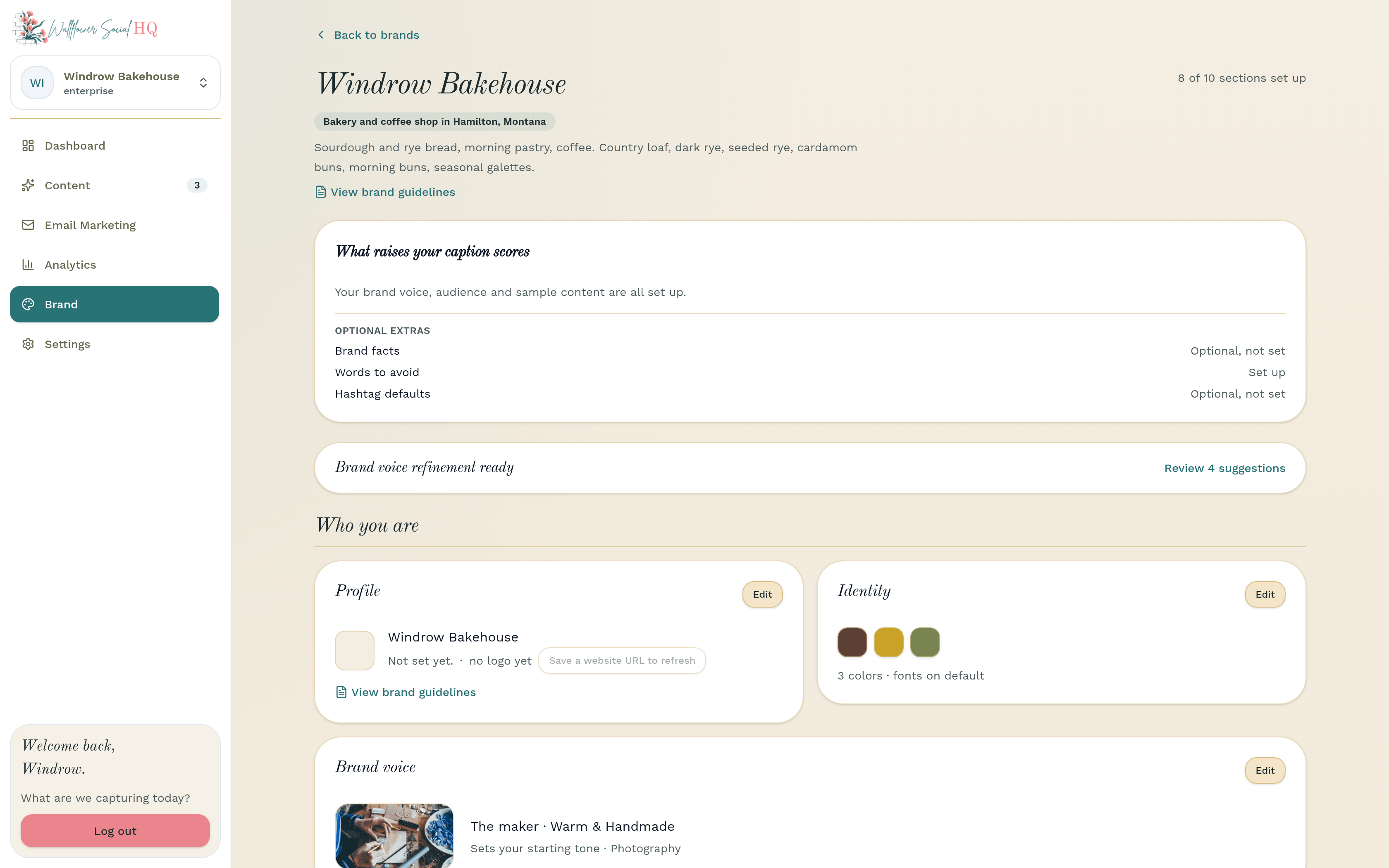
In the sidebar, click Brand. Your brand profile opens, grouped into four bands: Who you are, How you sound, What we learn from, and Odds and ends. A line at the top shows how many sections are set up.
Each card has its own Edit and Save buttons, so you can fill it in a piece at a time.
Fill in your profile basics #
On the Profile card, click Edit. Add your Brand name, What kind of business is this?, Website URL, Logo, Description, and Brand guidelines if you have a style guide. Click Save.
TipWallflower reads your website to learn your tone and style. If you change your site later, click Refresh from website and new suggestions show up on this page.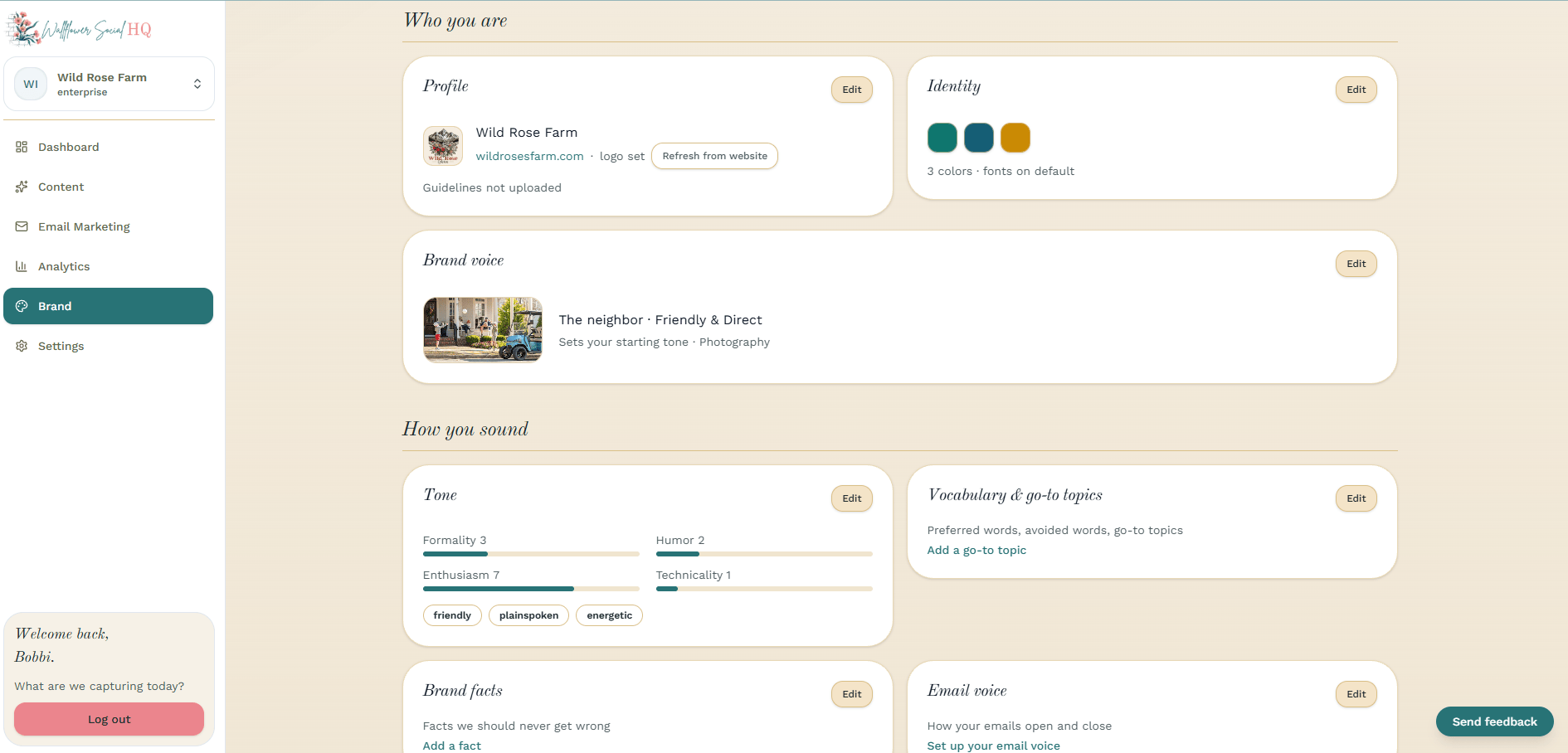
Set how you sound #
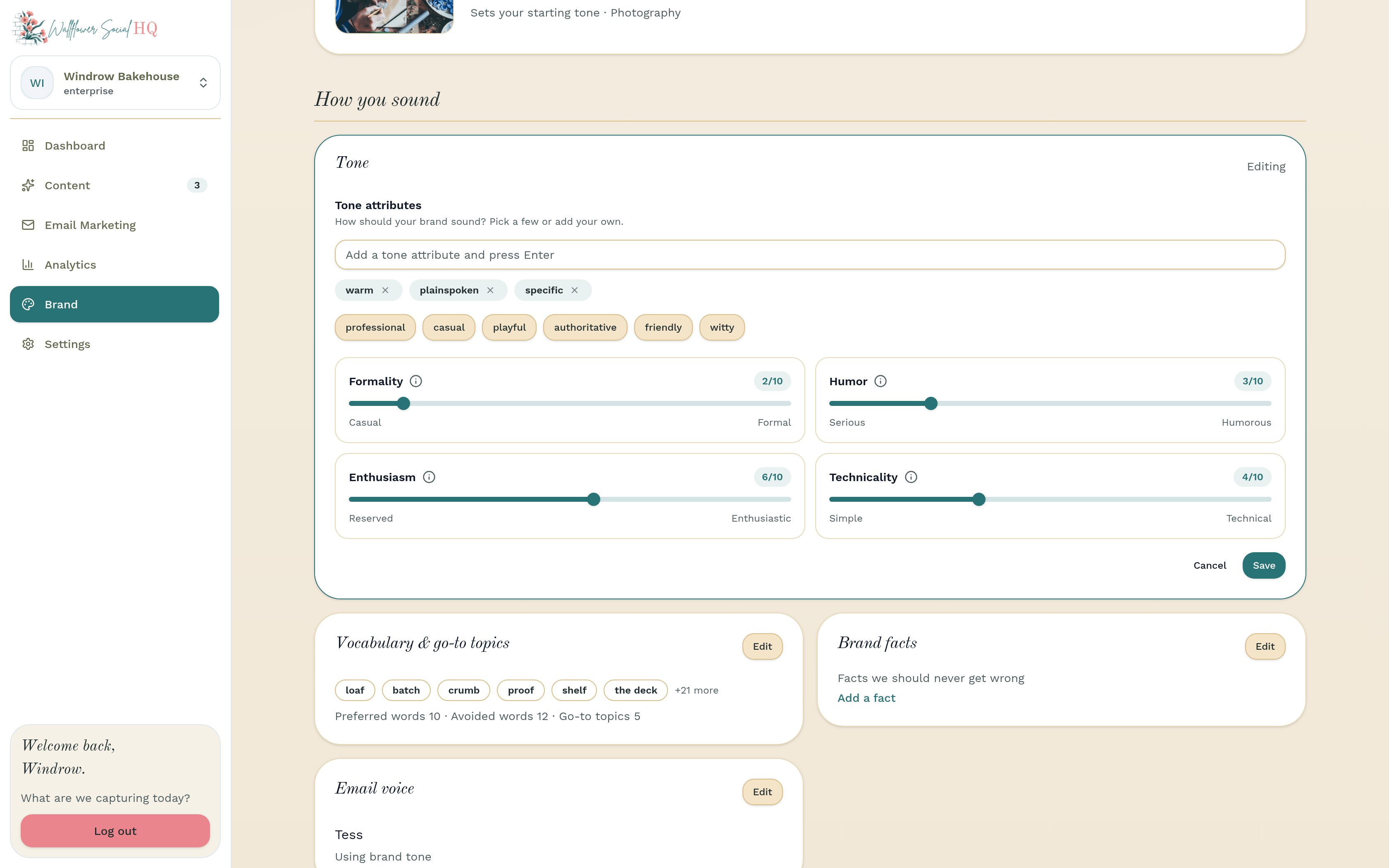
On the Tone card, click Edit and move the four sliders: Formality (Casual to Formal), Humor (Serious to Humorous), Enthusiasm (Reserved to Enthusiastic), and Technicality (Simple to Technical). Add a few Tone attributes, like friendly or playful. Click Save.
The Brand voice card sets your starting tone and your image style. Pick the one that feels closest, then fine-tune with the sliders.
Add your words and go-to topics #
On the Vocabulary & go-to topics card, click Edit. Add Preferred words you want in your posts, Avoided words that don't sound like you, and a few Go-to topics. Click Save.
NoteFill My Week needs at least one go-to topic before it can plan your week.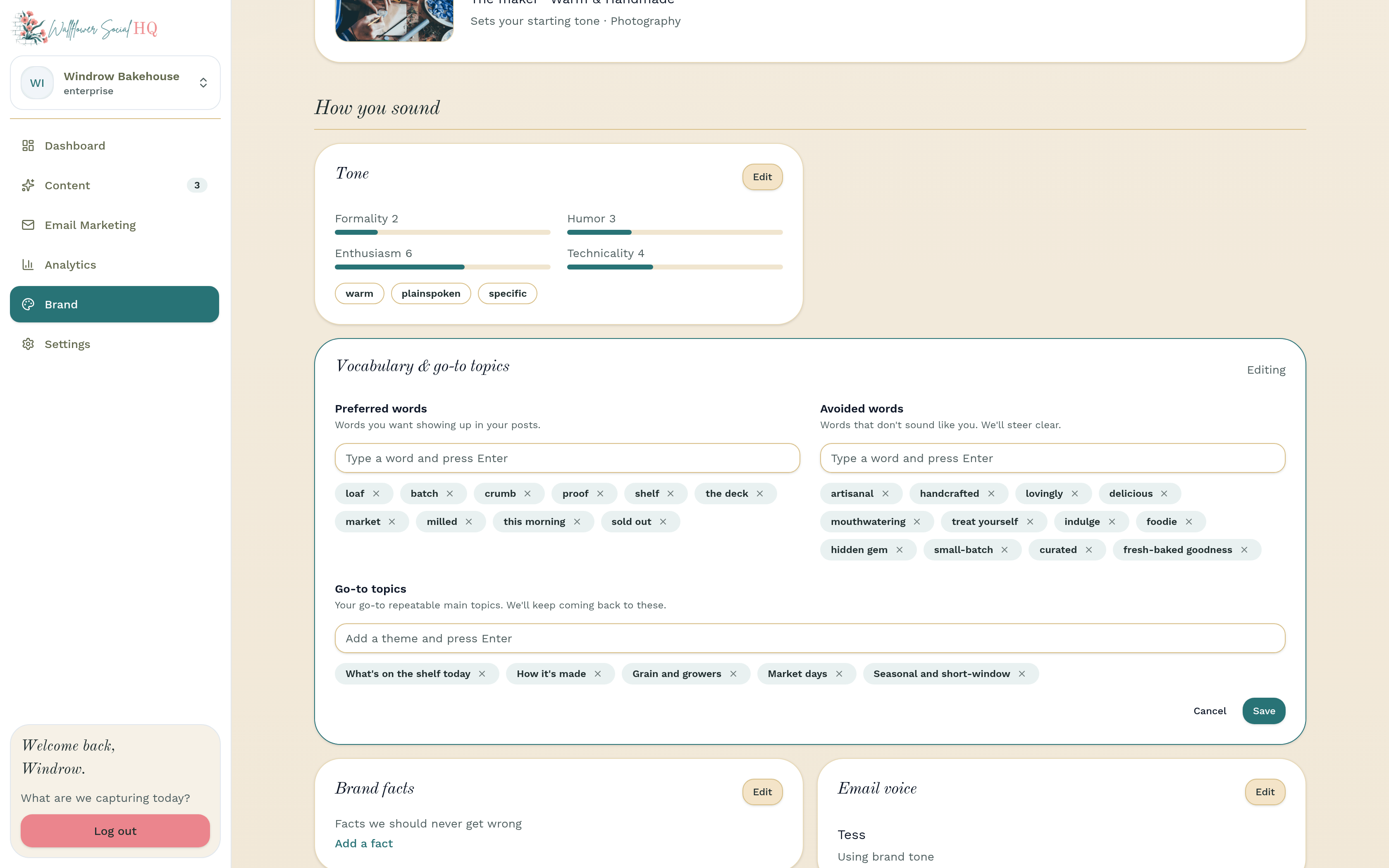
Give us samples and facts #
On Sample content, add posts, links, or files that already sound like you. On Brand facts, add the things we should never get wrong, like your hours or what you don't sell. Click Save on each card.
TipWhen you reject a draft and say why, Wallflower keeps a note under What we've learned. You can remove any note you don't agree with.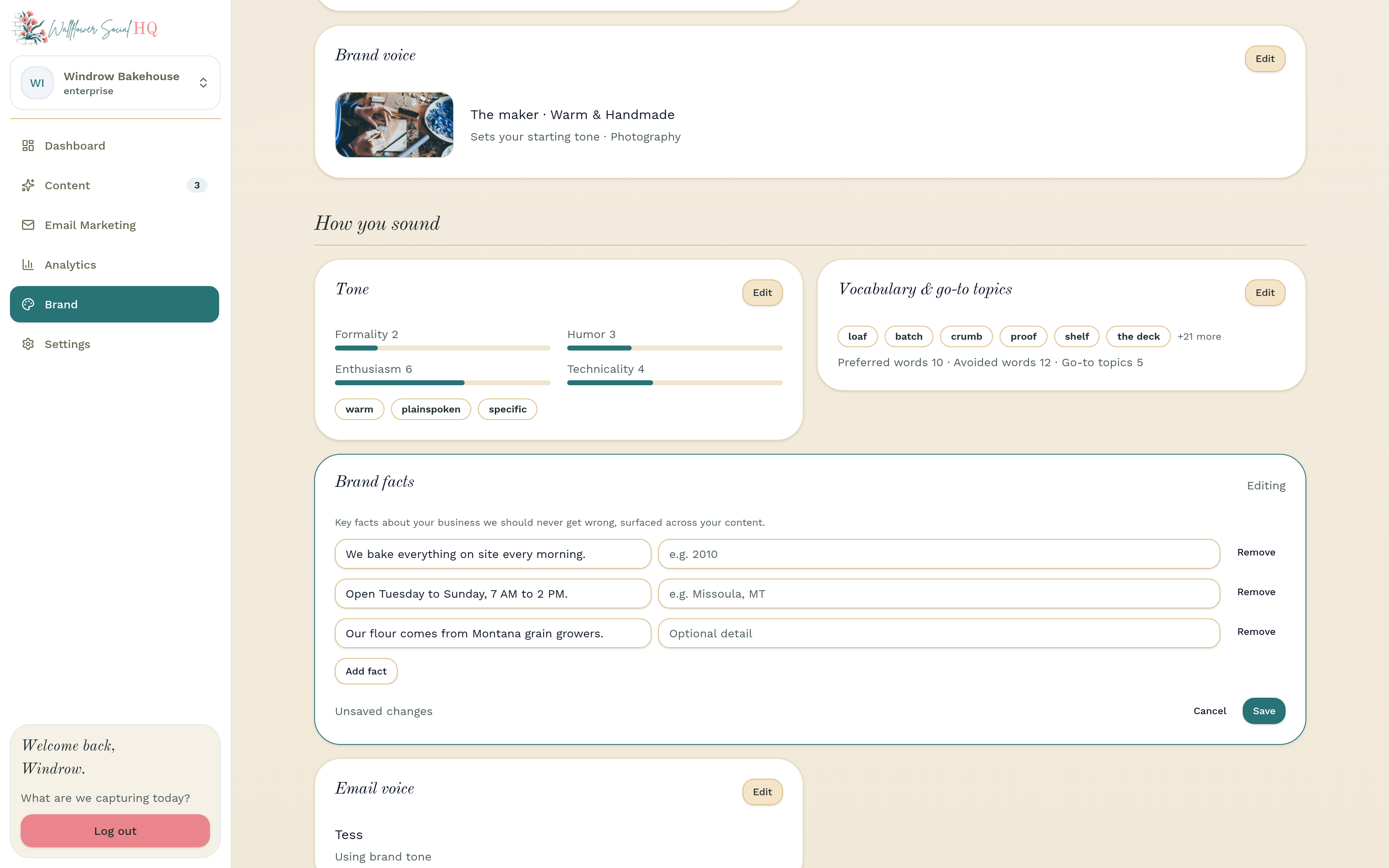
Finish the odds and ends #
The rest is optional, and you can come back anytime:
- Identity: your colors and fonts.
- Audience: who you post for, plus personas.
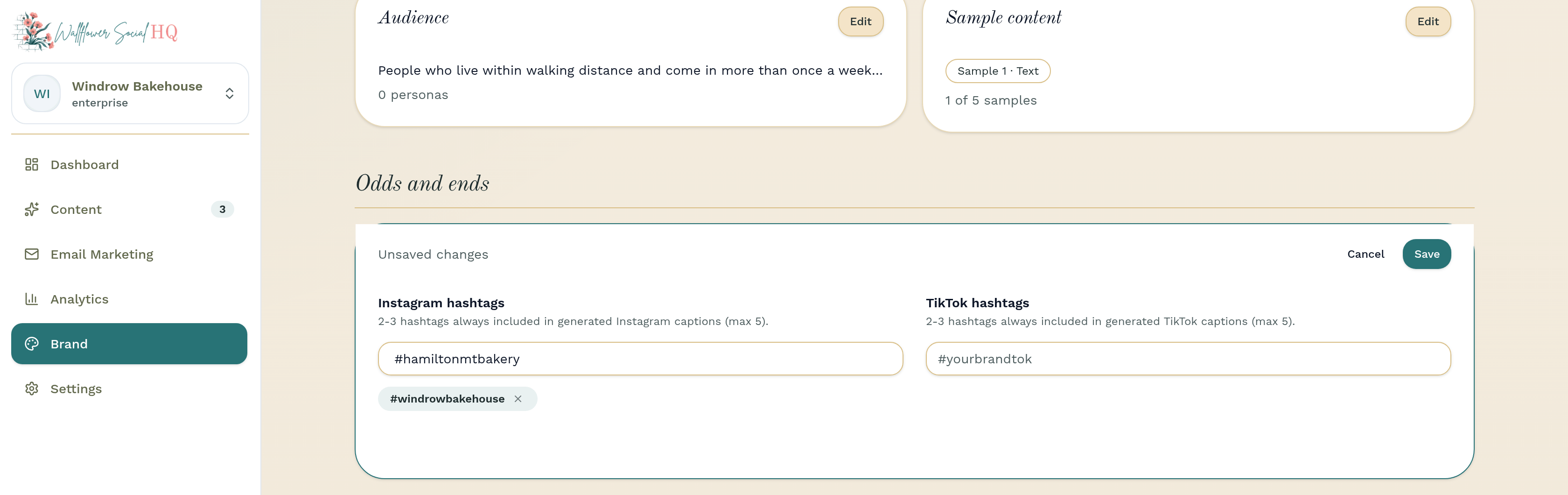
- Hashtag defaults: 2 or 3 hashtags always added to Instagram and TikTok captions (up to 5).
- Email voice: how your emails open and close.
More in Getting started
Still stuck?
If you need more personalized support, send us an email and we will get back to you soon.